AI agent and patterns
As all modern SaaS platforms transition to the age of AI, we also had to upgrade our design system to allow for a modern AI-based experience with an agentic AI named Bea and supporting design system patterns.
Role
UX designer, UX researcher, project manager
Timeline
6 months in 2026
Skills
AI UX design · Design systems · UX research · Interaction design · Product strategy · Design pattern development · Prototyping · Cross-functional collaboration · Project management · Agentic AI UX
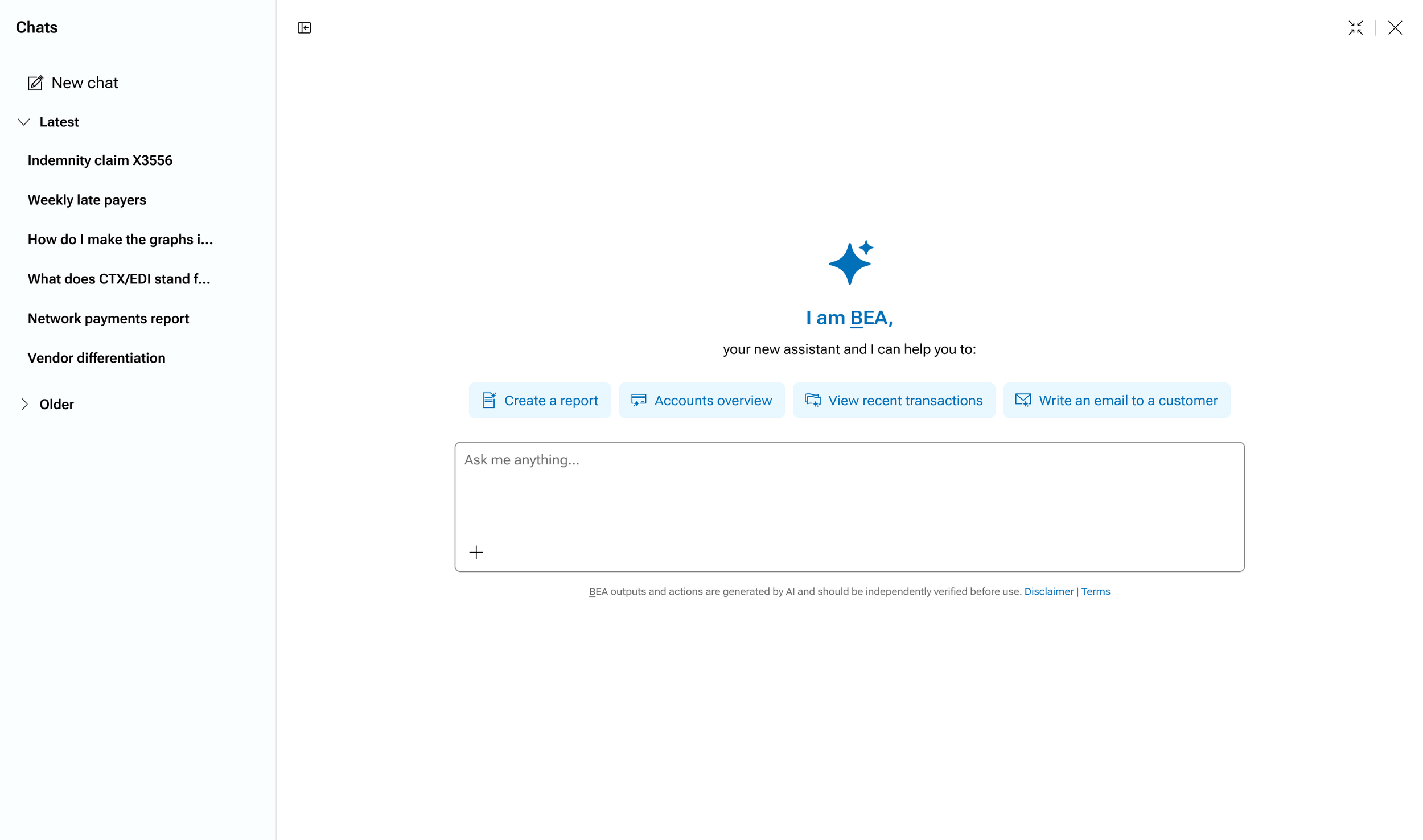
How might we create a consistent, intuitive experience for interacting with an AI agent across our suite of applications? The challenge was to establish reusable AI design patterns that support agentic workflows while accommodating different contexts and levels of complexity. This meant designing flexible experiences across three form factors: a drawer, a floating panel, and a full-screen interface, all while maintaining consistency, usability, and a cohesive experience throughout the product ecosystem.
Desk-based research and competitive analysis
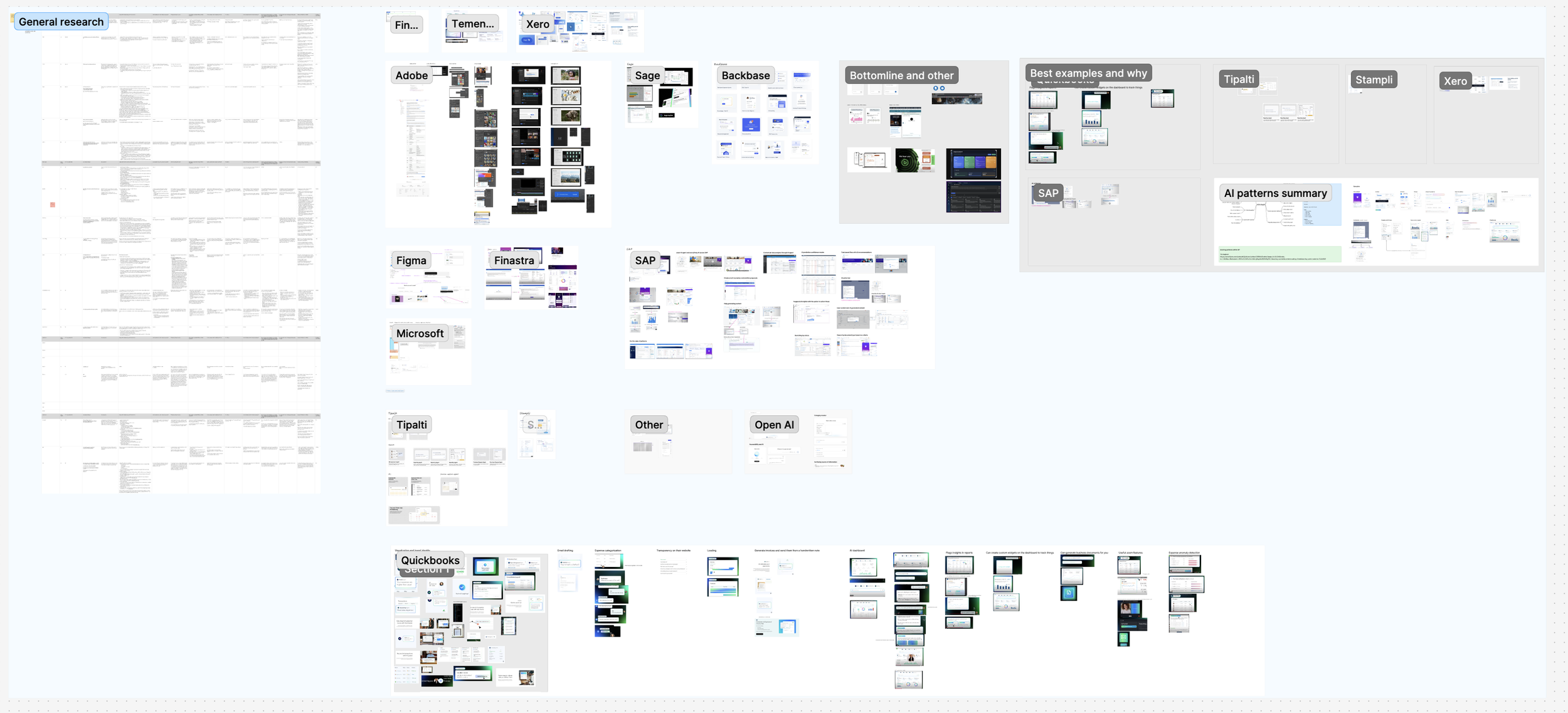
We started off with investigating the landscape of what approaches, features, and functionalities other companies used with approaching AI. We listed things that we thought worked well and things that we thought did not work well. We looked at fintech companies and other companies to see what patterns they were using.
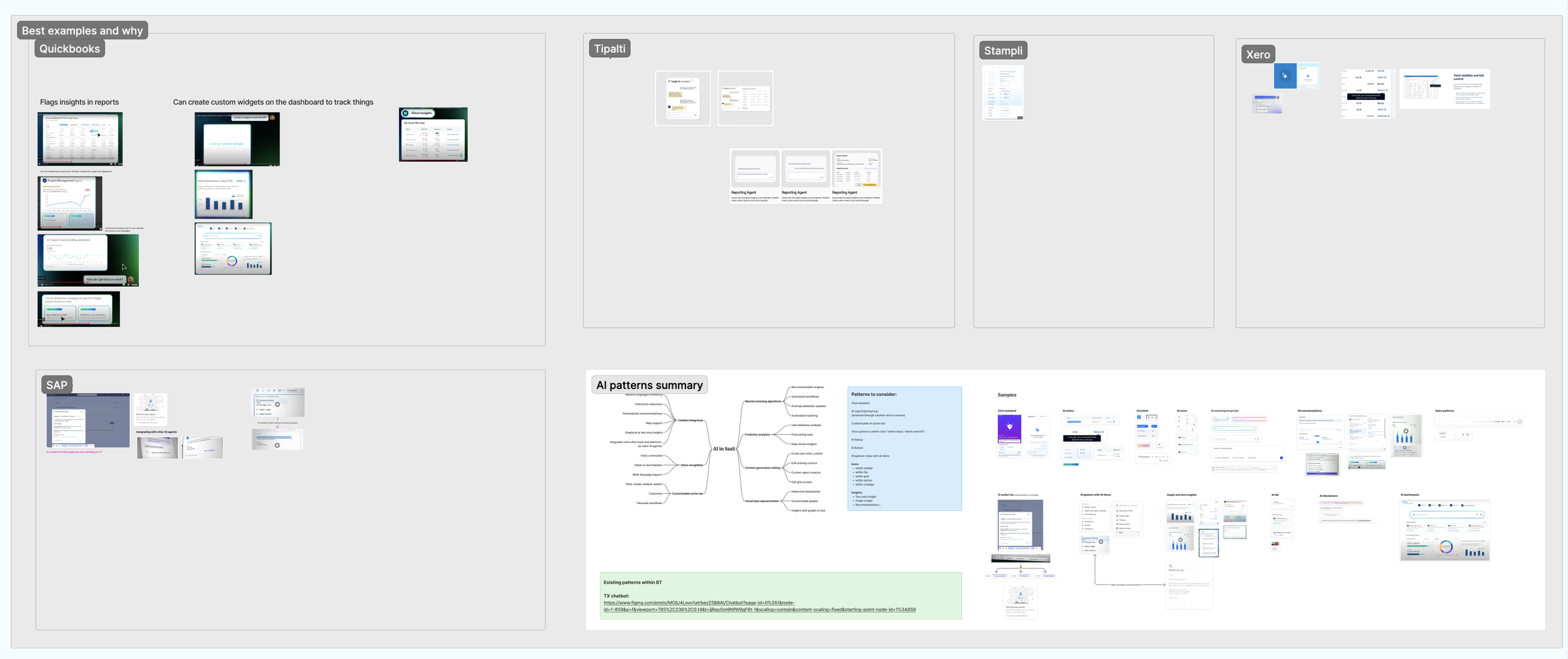
From there, we created a short list of companies and features that we thought were best to model our approach off of.
We conducted desk-based competitive research to understand how leading AI companies, including Microsoft Copilot, ChatGPT, Gemini, and Claude, approach common AI interaction patterns. Using AI-assisted research alongside direct product analysis, we identified emerging conventions, compared design approaches, and explored opportunities to establish consistent, reusable patterns for our own AI-powered experiences.
Below is an example of some of the patterns we identified for how several AI companies allow a user to switch between various models.
Requirements definition and early mockups to establish patterns
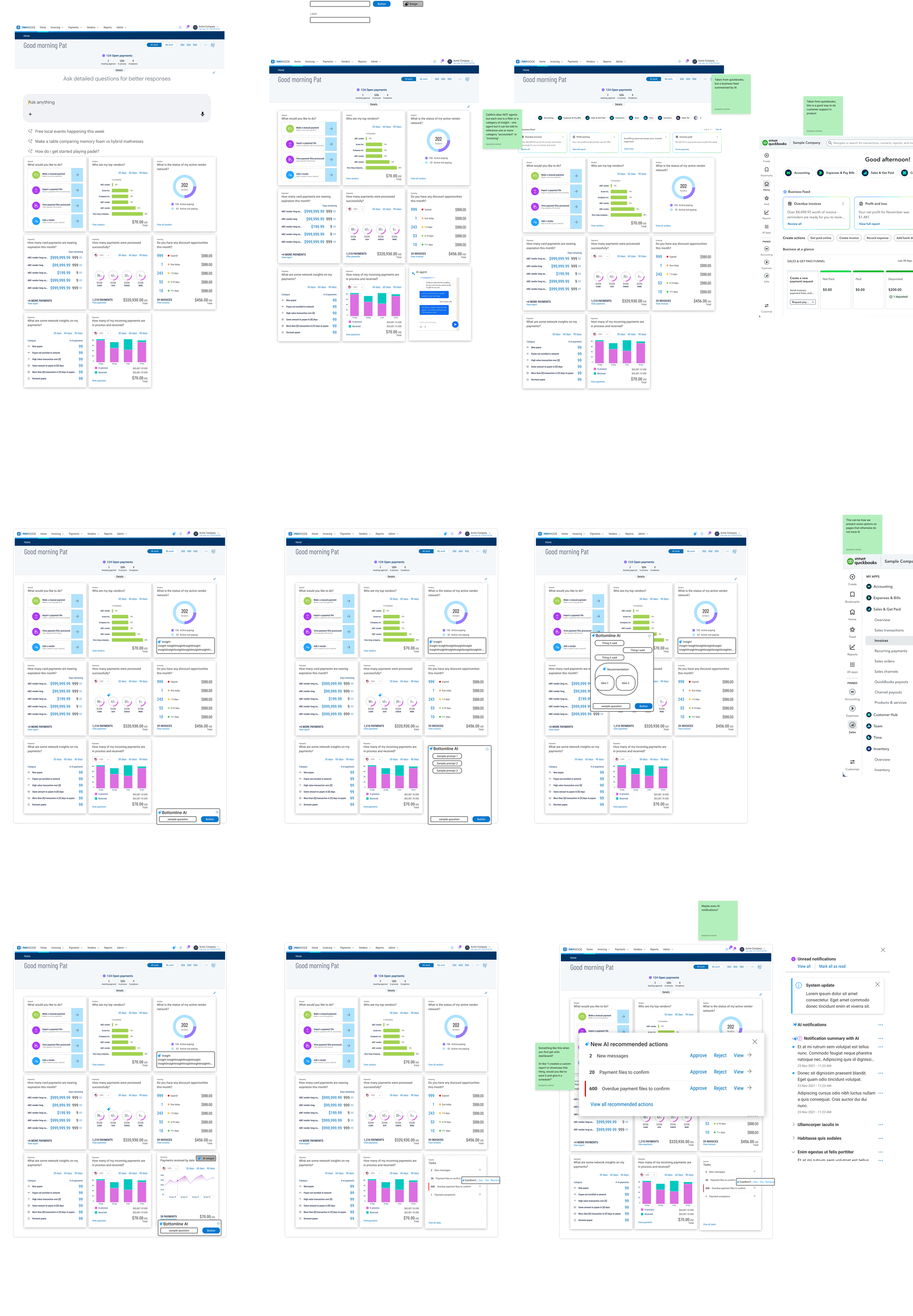
Based on the features and functionalities that we identified as the best to pursue first, we started generating low-fidelity mockups to communicate our ideas with stakeholders, get alignment, ensure feasibility, and get developer buy-in. These mockups are not attractive, but they each illustrated a point that helped us move the project along.
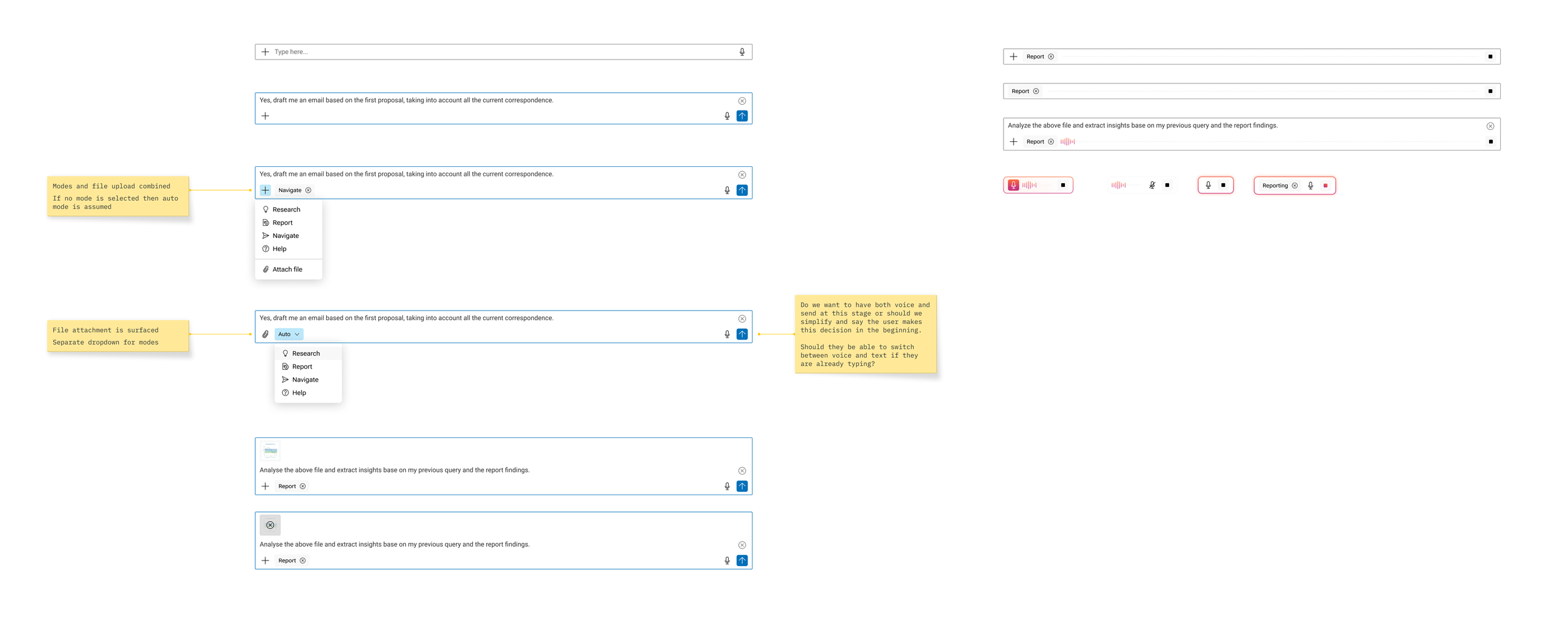
Agentic AI explorations
We explored various ways of grouping the information in the input box such as identifying what mode the agent is set to and any referenced attachments as well as later features such as voice input.
Final design
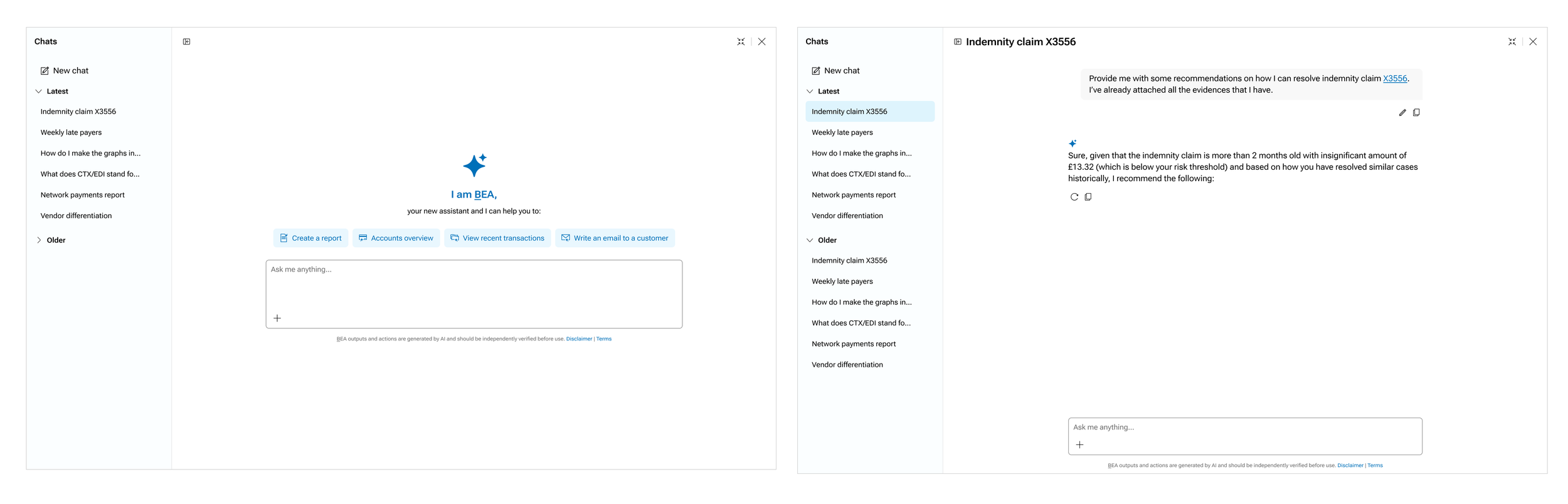
Full screen
The agentic AI comes in a few sizes to best accommodate any workflow a user might want. One of those sizes is full screen, where the chat takes up the entire screen.
In full screen mode, the AI has the most robust feature set including patterns for reviewing chat history and searching older chats. What this version lacks, however, is the ability to more easily cross-reference data in grids or dashboards.
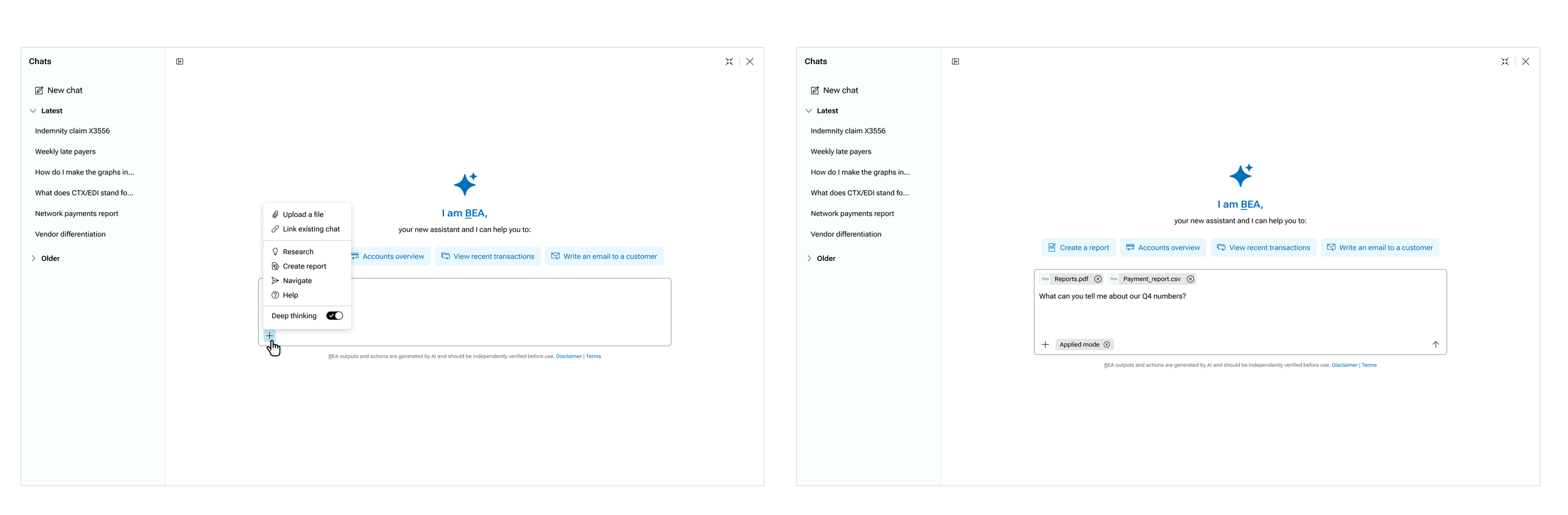
Full screen - options menu
There are a number of features that the user might want to use such as uploading a file, having the AI reference an existing chat, thinking more thoroughly, or other various modes. We designed a solution for that in our chatbot.
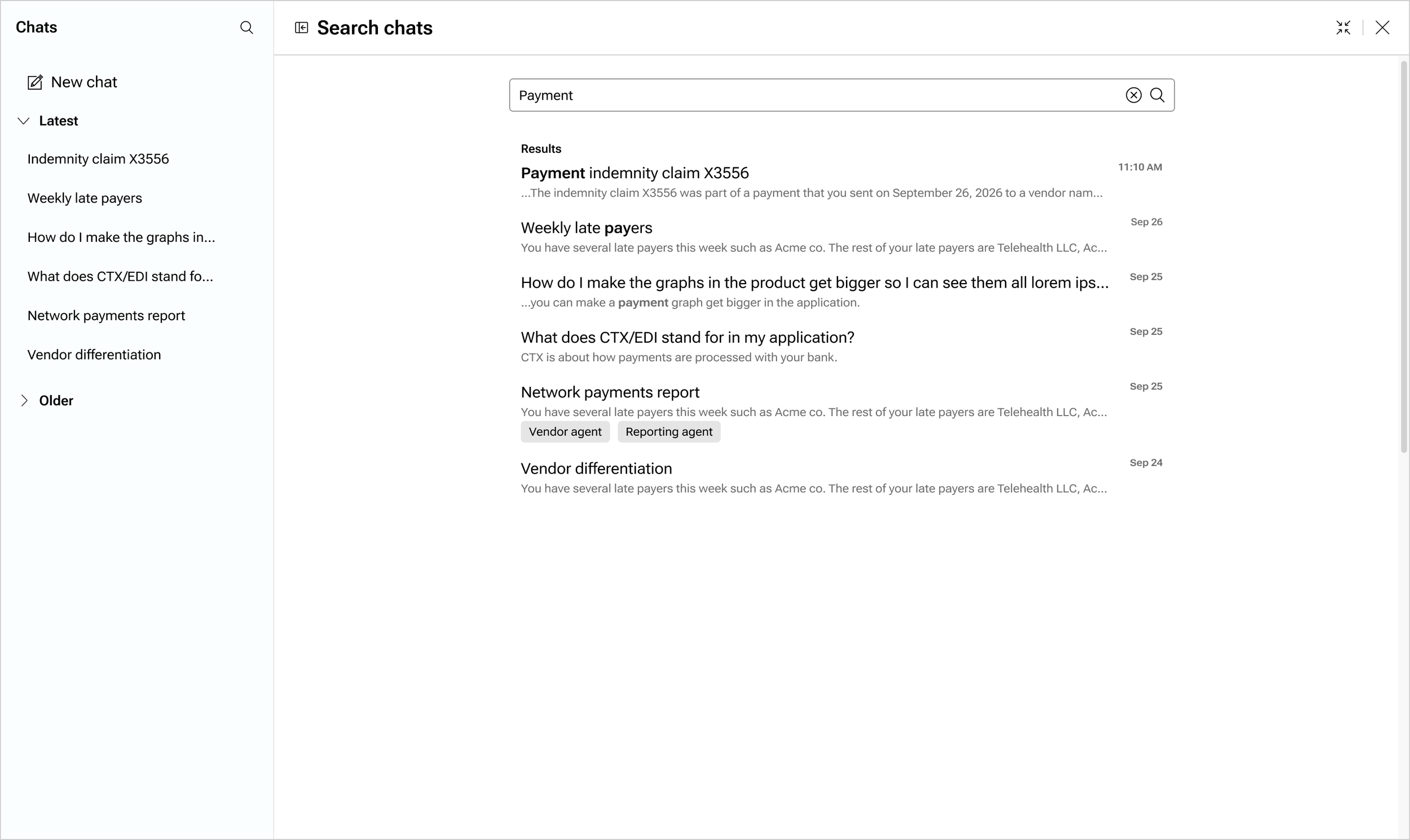
Full screen - search
Allowing the user to search previous chats is extremely helpful for returning to older conversations. We conducted a competitive analysis to see how other companies use search patterns for AI agents, and tailored their solutions to our needs while still abiding by conventions that users are used to.
AI agent in a drawer
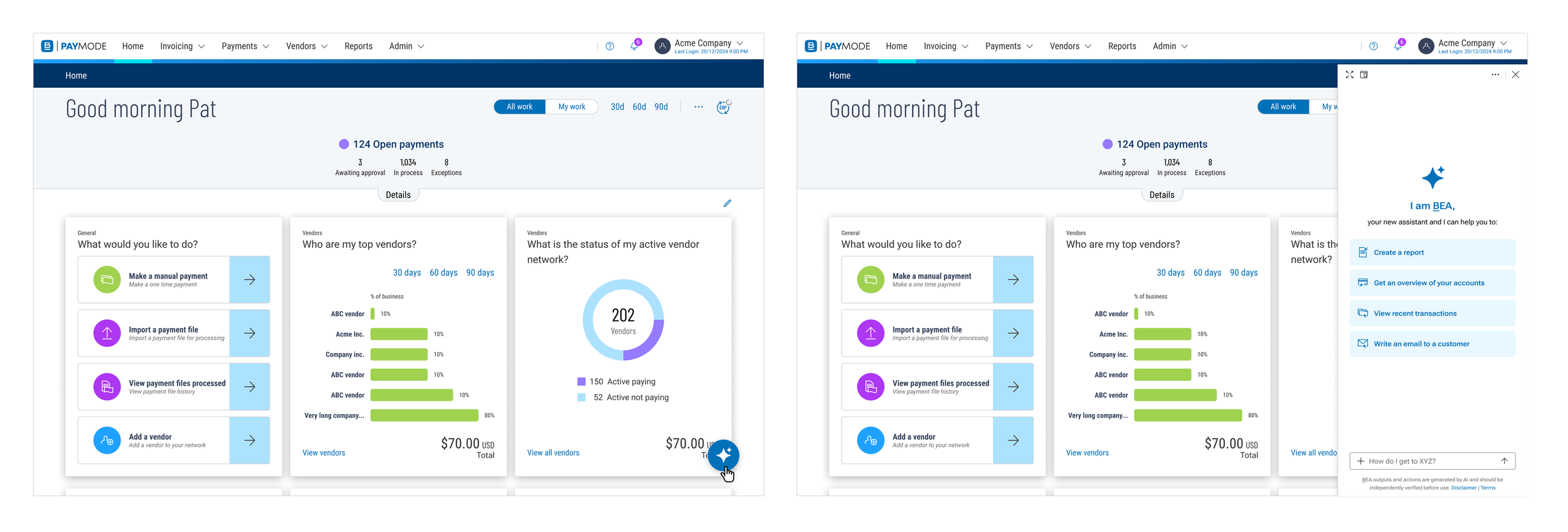
In situations where the user might want to discuss something with the AI agent while still referencing other data, we allow for a drawer-based agent. Upon launching the agent from any page, we add an overlay drawer to the right side of the screen.
AI agent in a floating panel
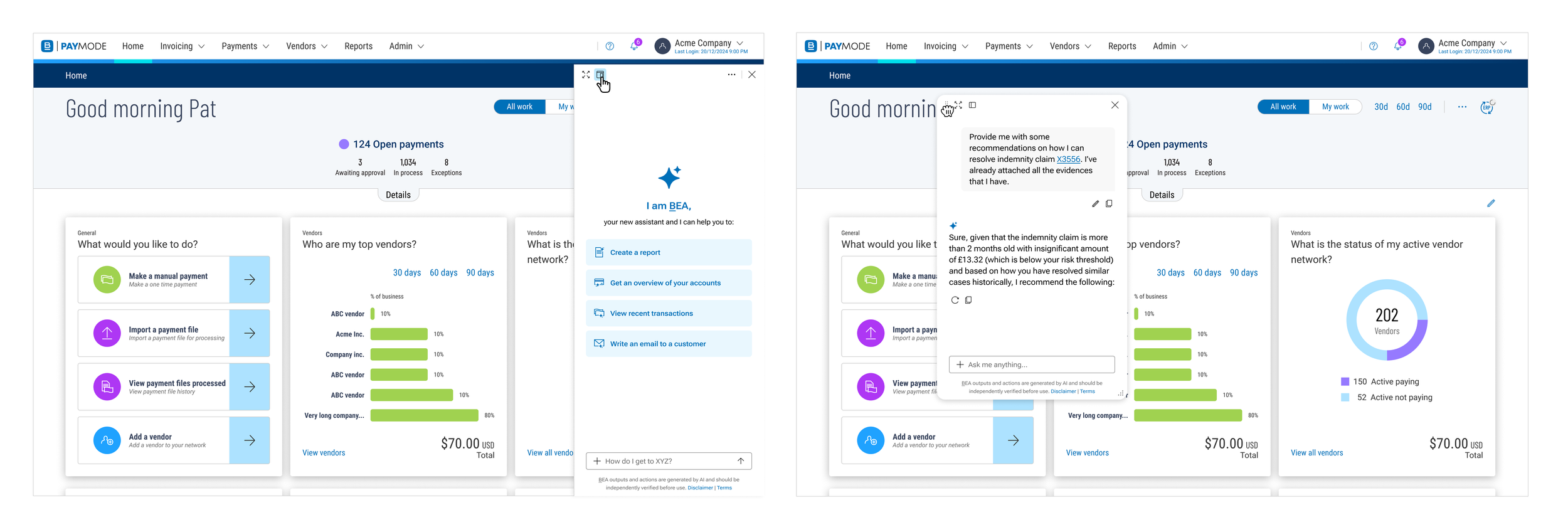
There are also situations where the user might want to move and resize the AI agent. For that reason, the user is able to switch the drawer-based agent to a floating panel-based agent. The user can move the panel around the screen and resize it.
Other agent patterns - show thinking and sources
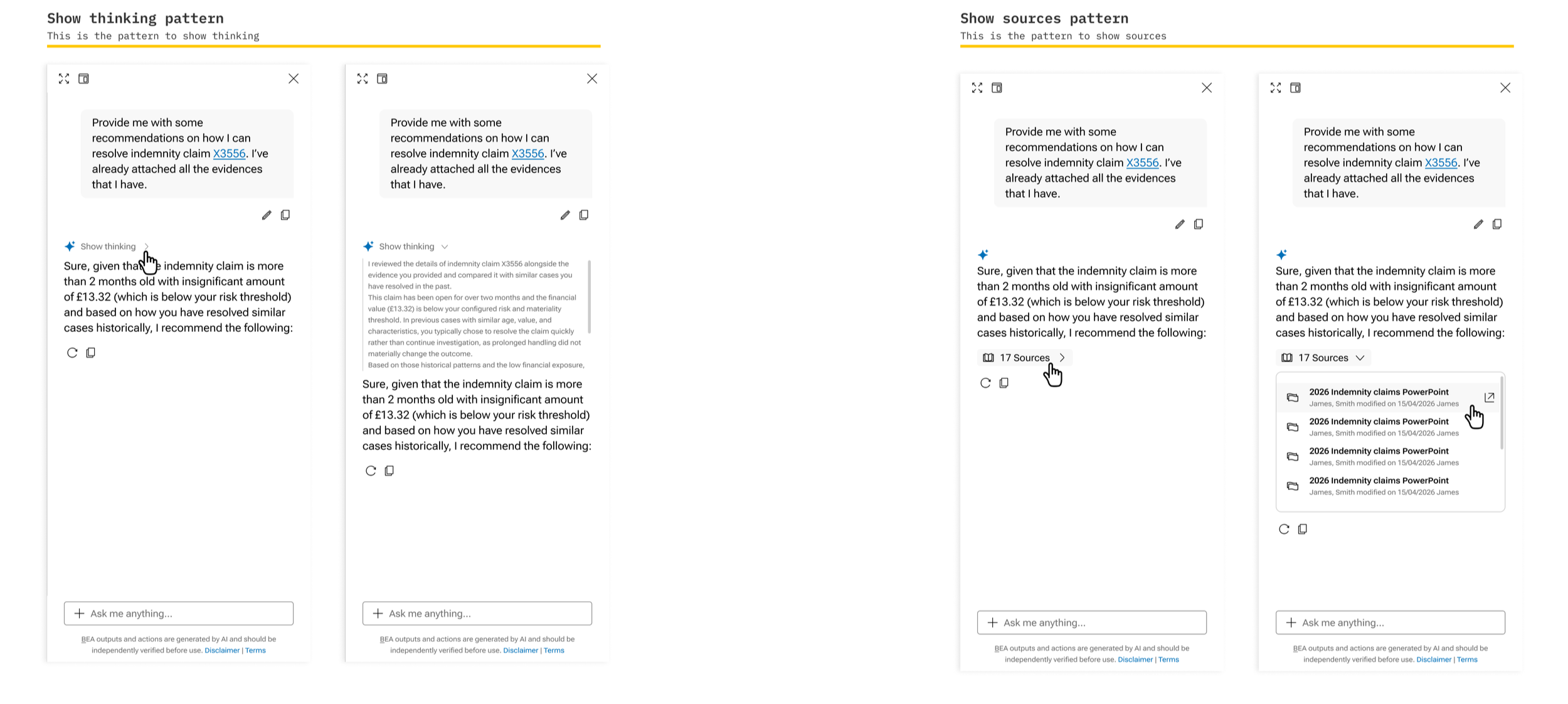
Transparency is one of the most important aspects an AI agent, especially in an important industry such as fintech. Therefore, finding ways to increase transparency such as showing the user how the AI thinks, and where it pulls data from was extremely important.
Other agent patterns - chat menu, errors, and stop generating
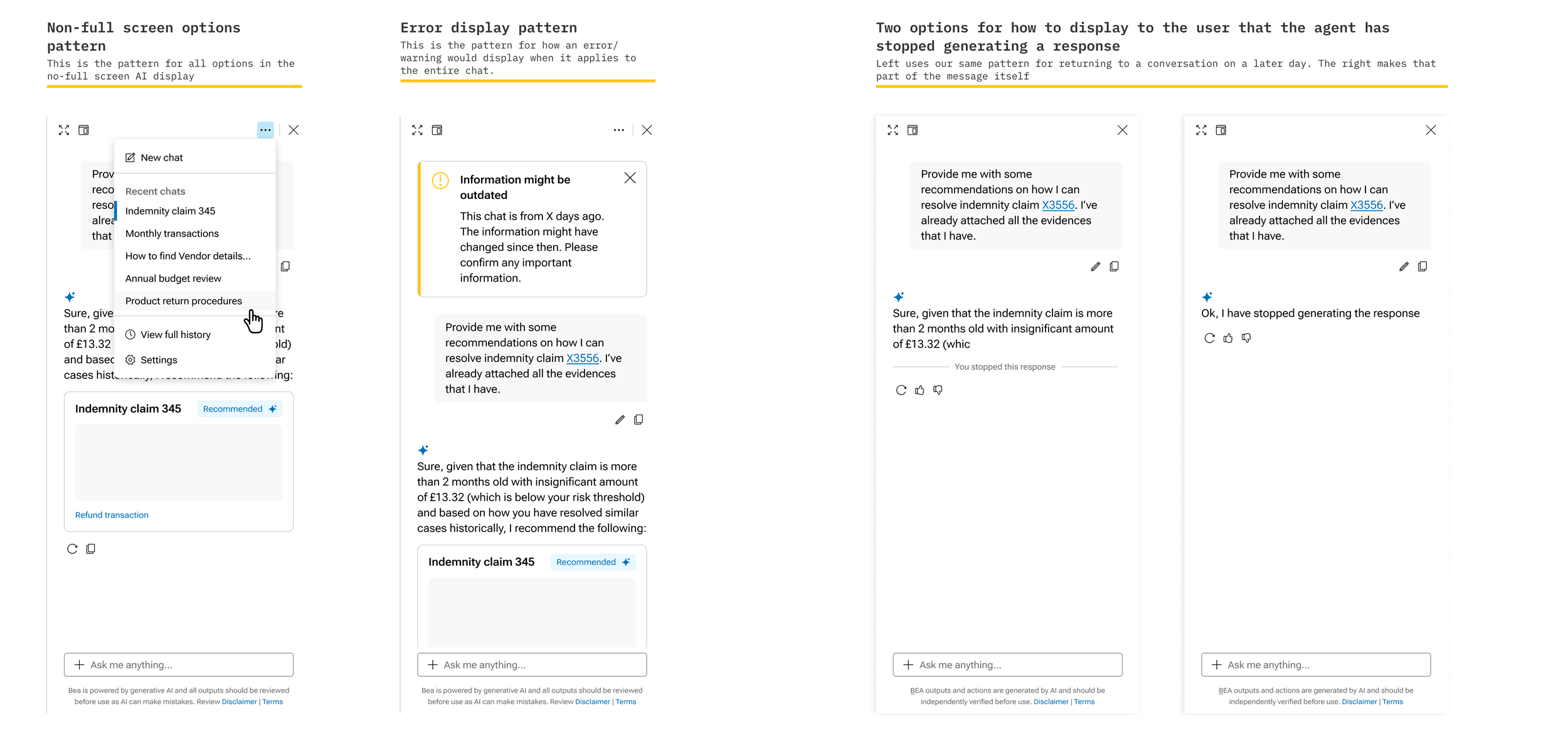
Although the user won’t have all controls in the smaller chat windows, we still needed to ensure that there were enough controls to accomplish the majority of flows successfully.
We also needed to communicate errors to users.
Additionally, it was important to allow users to not waste time waiting for a response from the AI when it was wrong, therefore, we created patterns for stopping generation mid-stream. The example here shows two potential options that we considered.
Other agent patterns - regeneration
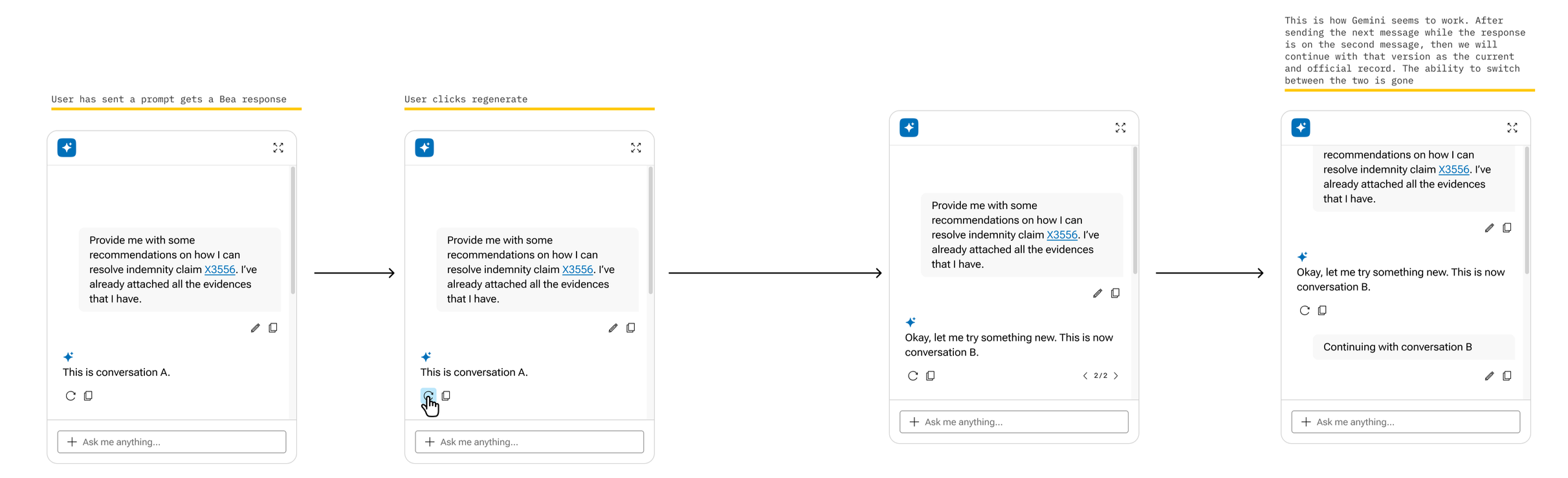
There will be times when the user might have stopped generating a response mid-stream, or might want to have the agent try to generate a different response without prompting the agent again. In that case, the regeneration button allows the user to request a new response from the agent.
We conducted a competitive analysis of how other popular AIs handle regeneration and modeled our version off of the best options that we found.
Other agent patterns - edit prompt
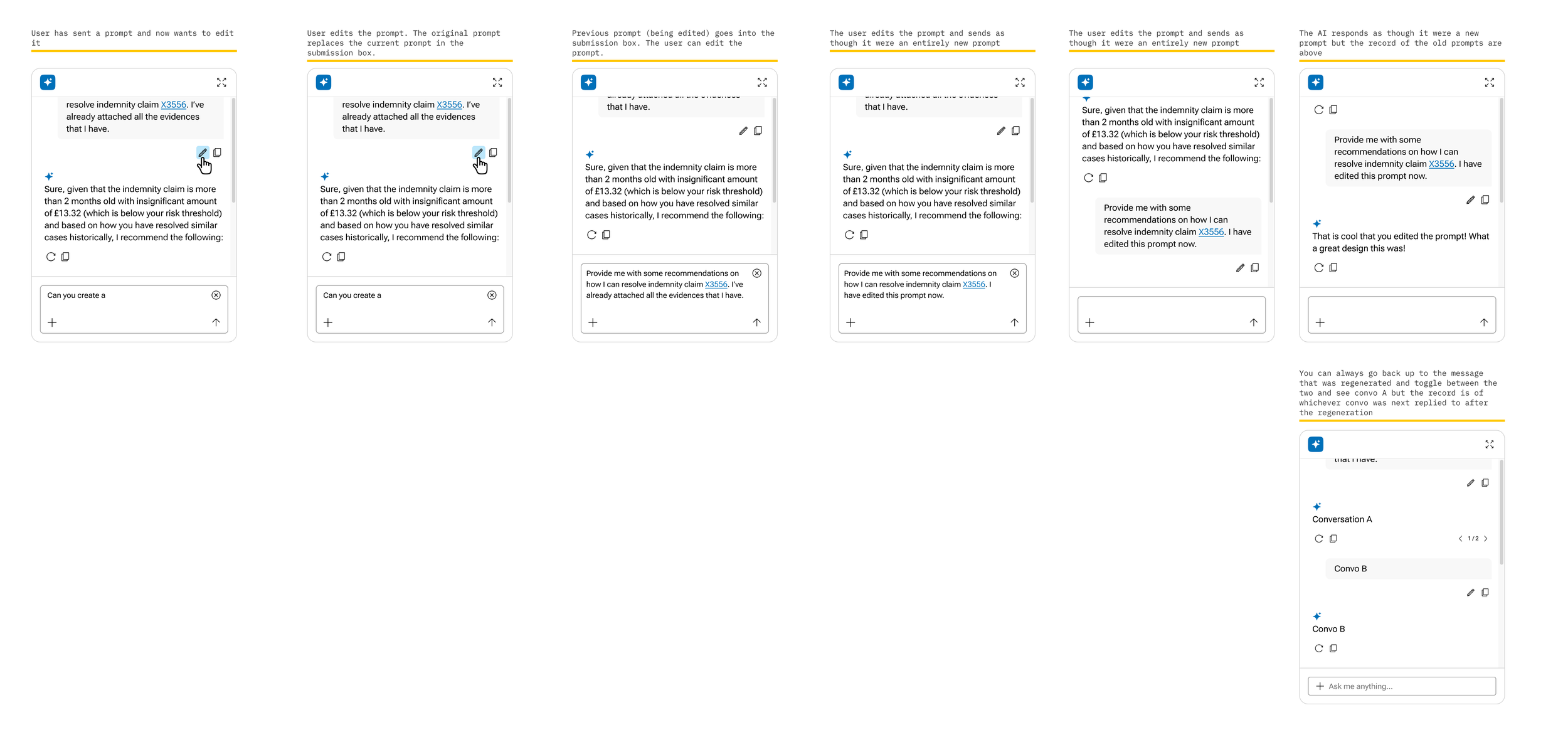
Users will sometimes send a prompt with errors in it, or prompts that they later realized did not communicate their actual intent. In those instances, we needed a pattern to allow the user to edit their prompt. We considered how other AI companies do this, as well as how other text chat software accomplishes this goal. We decided to simplify our process based on other software which you can see in this example.
Opportunities for improvements in our design system with supporting AI designs
In addition to the AI agent, we realized that we needed to change other other design system components to allow for the AI to feel properly integrated with the rest of our platform.
We changed several of our components to allow for AI design. Some of our goals were:
Users must be able to clearly see data that the AI populated
Users must clearly see AI insights
Our grids and inputs must allow for AI insights, callouts, and highlights
AI supporting components - grid
The grid is our most important design system component. It is the foundation of our platform and the place that users search, filter, reference, and view the vast majority of their data.
As such, the ability to call out AI insights and data within our grid was paramount to creating an AI experience that felt holistic and well-rounded.
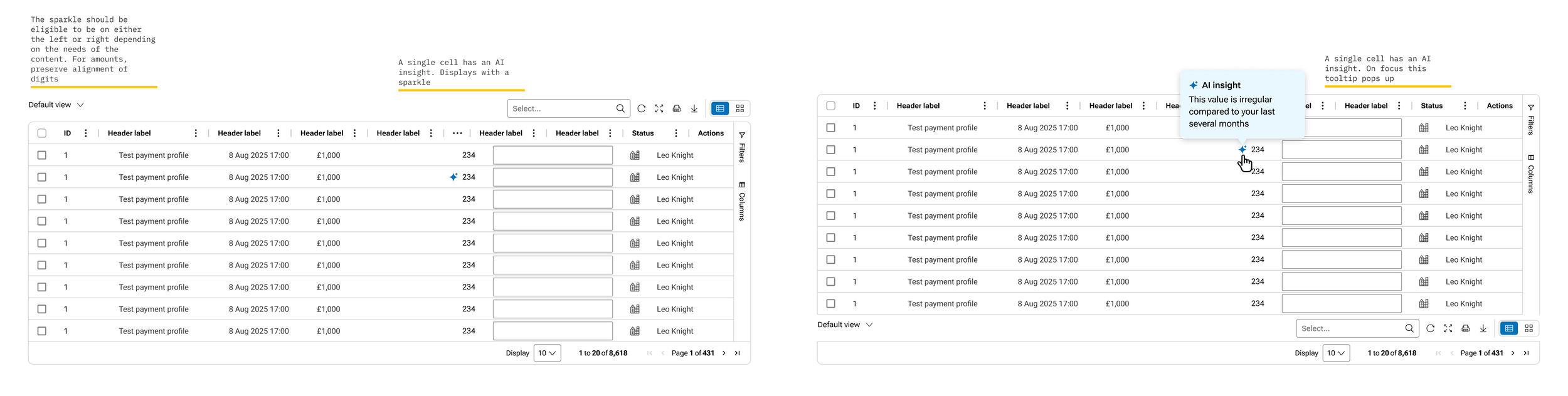
We developed patterns for several instances of how the AI might want to call out an insight to the user. In this example, the AI is calling out a single datapoint within the grid rather than a row or column.
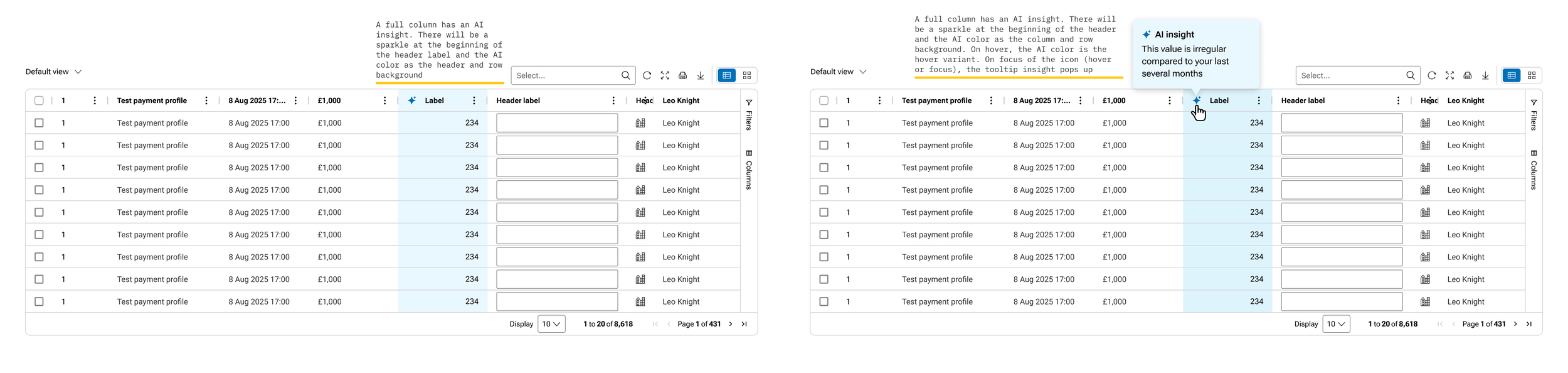
We also created a pattern for if the AI wants to highlight an entire column
AI supporting components - form inputs
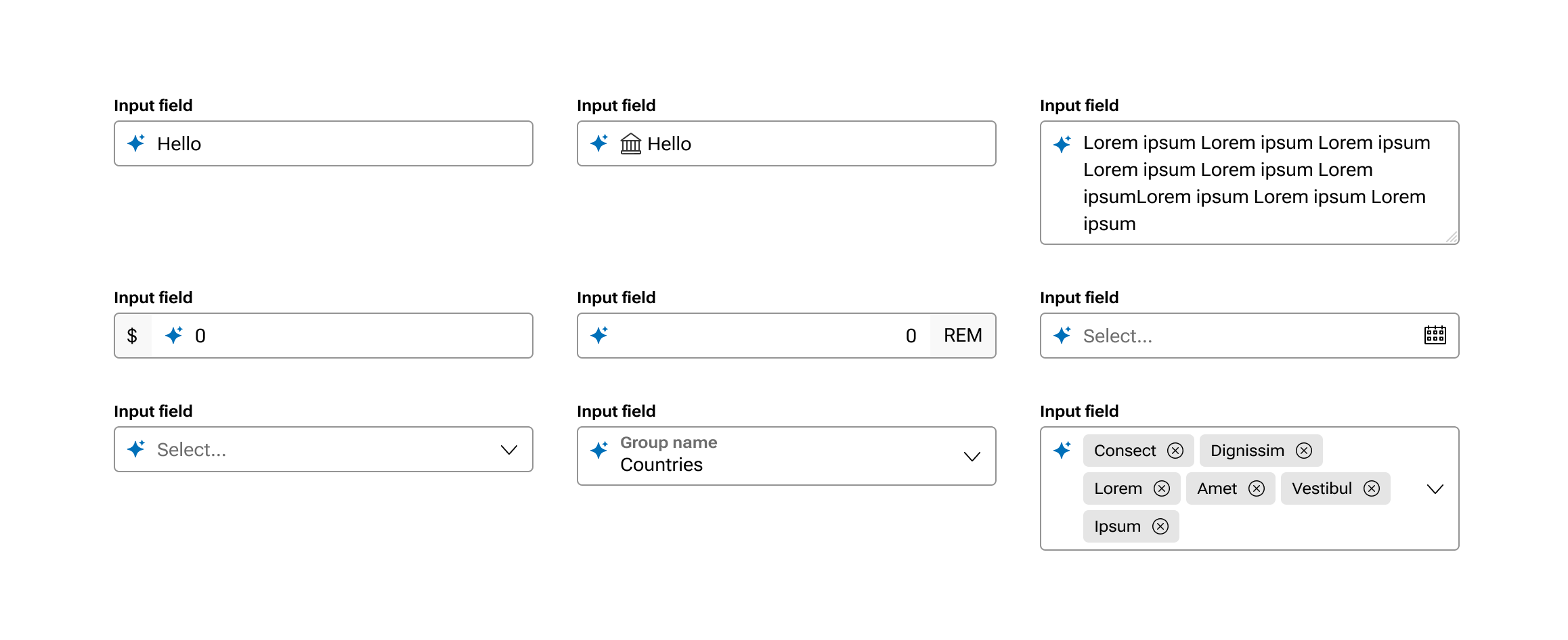
Because we wanted the AI to be able to affect other parts of the application, such as speeding up inputting information in forms, we had to show the user which fields have been filled in by the AI.
We did a competitive analysis and followed general conventions. There were several constraints such as accessibility, technical, and keeping with the conventions of our already-established design system.
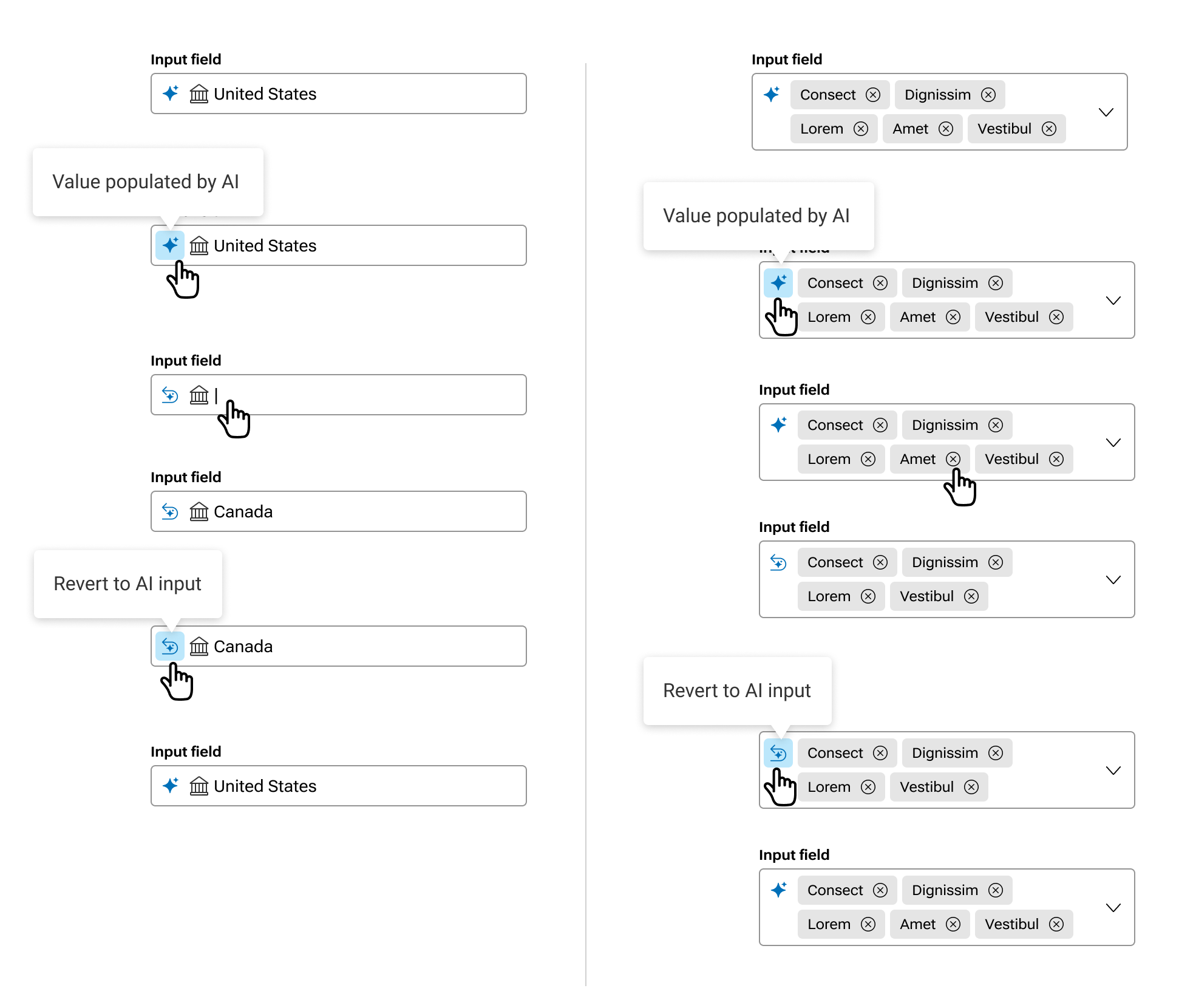
We created a pattern to show a user which field was filled in with AI and then allowing them to override that input and also revert it.
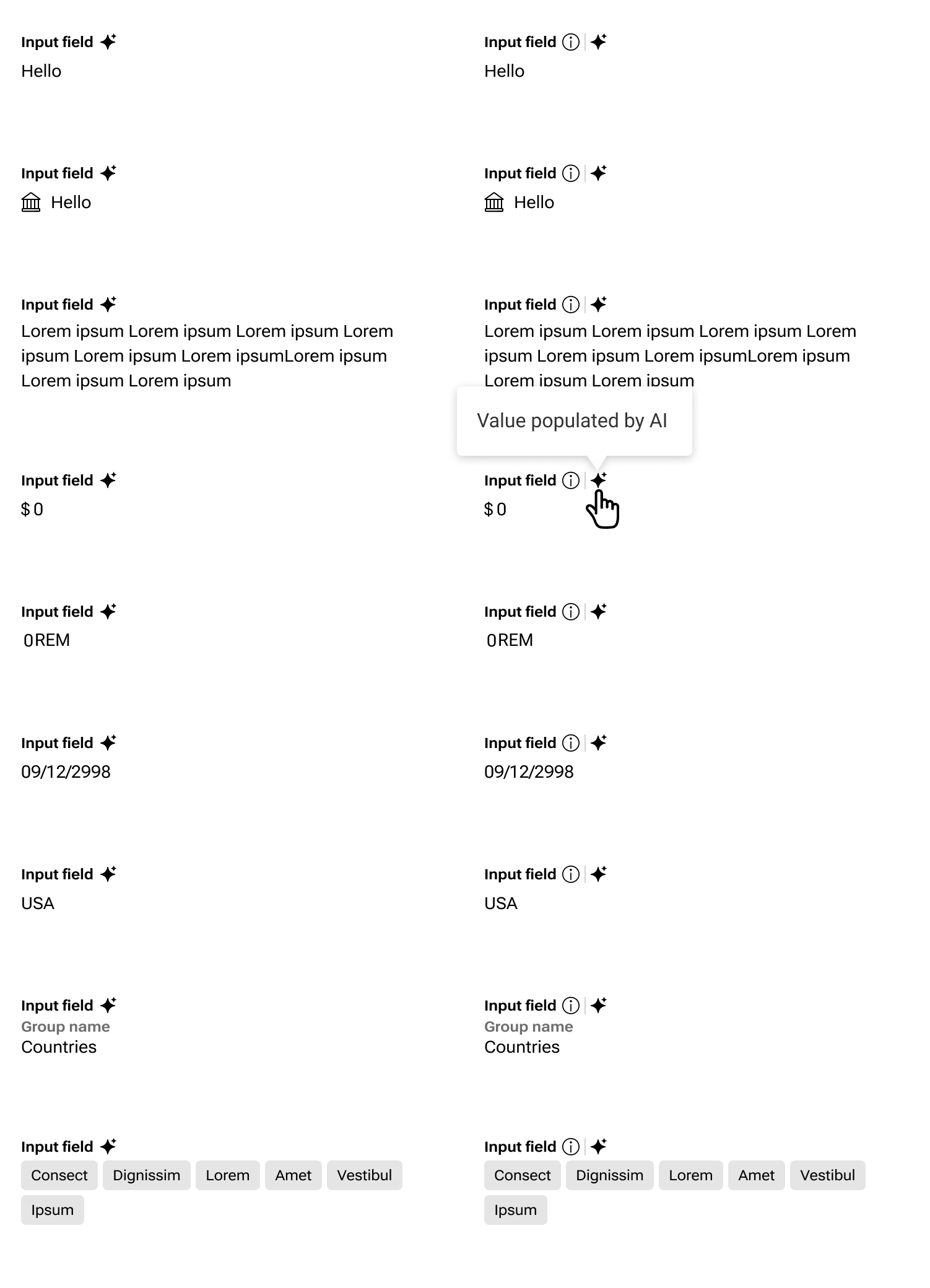
We also had a few concepts for how to represent a read-only field that was filled in by AI. It was important to accommodate for if there was other help text in an informational tooltip as represented by the “i” icon.
Outcomes and lessons learned
Through the work of this initiative, we were able to create a holistic, functional, accessible, and industry-standard AI experience for our customers. We outlined ways to be transparent, informative, and cutting-edge such that our customers can use AI in our product in the ways that they have come to expect.
We learned that there are times where it makes sense to go against the grain and invent your own solution, and we also learned that there are times where it makes sense to model your patterns off of established patterns. Our competitive analysis and desk-based research was paramount in delivering this entire solution.