Property manager’s online catalog
Integrated and redesigned an acquired procurement platform for property managers, creating an end-to-end experience for purchasing supplies, managing POs, and processing invoices across their properties. Introduced numerous usability improvements while bringing the solution into our broader product ecosystem.
Role
Lead designer, lead UX researcher
Timeline
6 months in 2025
Skills
Product strategy · UX research · Problem framing · Information architecture · Interaction design · Visual design · Usability testing · Design systems
Challenge
Bottomline acquired a company that is focused on real estate. They have a system for property managers to buy supplies for the properties that they manage. As part of buying the company, we needed a way to integrate the two products and give Paymode the same feature set prior to moving customers over.
Move their catalog system into our product
Give users all the same features that they are used to
Allow for users to upload catalogs/products via .CSV or shop on an embedded catalog
Improve the UX for users that are not very tech-savvy
User research
We conducted several rounds of usability testing (both formative and summative). The main goals of our tests were to ensure all users needs were met, ensure users could navigate the new experience, and to test out all the proposed features.
We had some specific questions such as users’ preferences between a grid and a tile display for the catalog, how many catalogs users had, if those catalogs were in a CSV format or online catalogs, and if there is any specific terminology we should reuse.
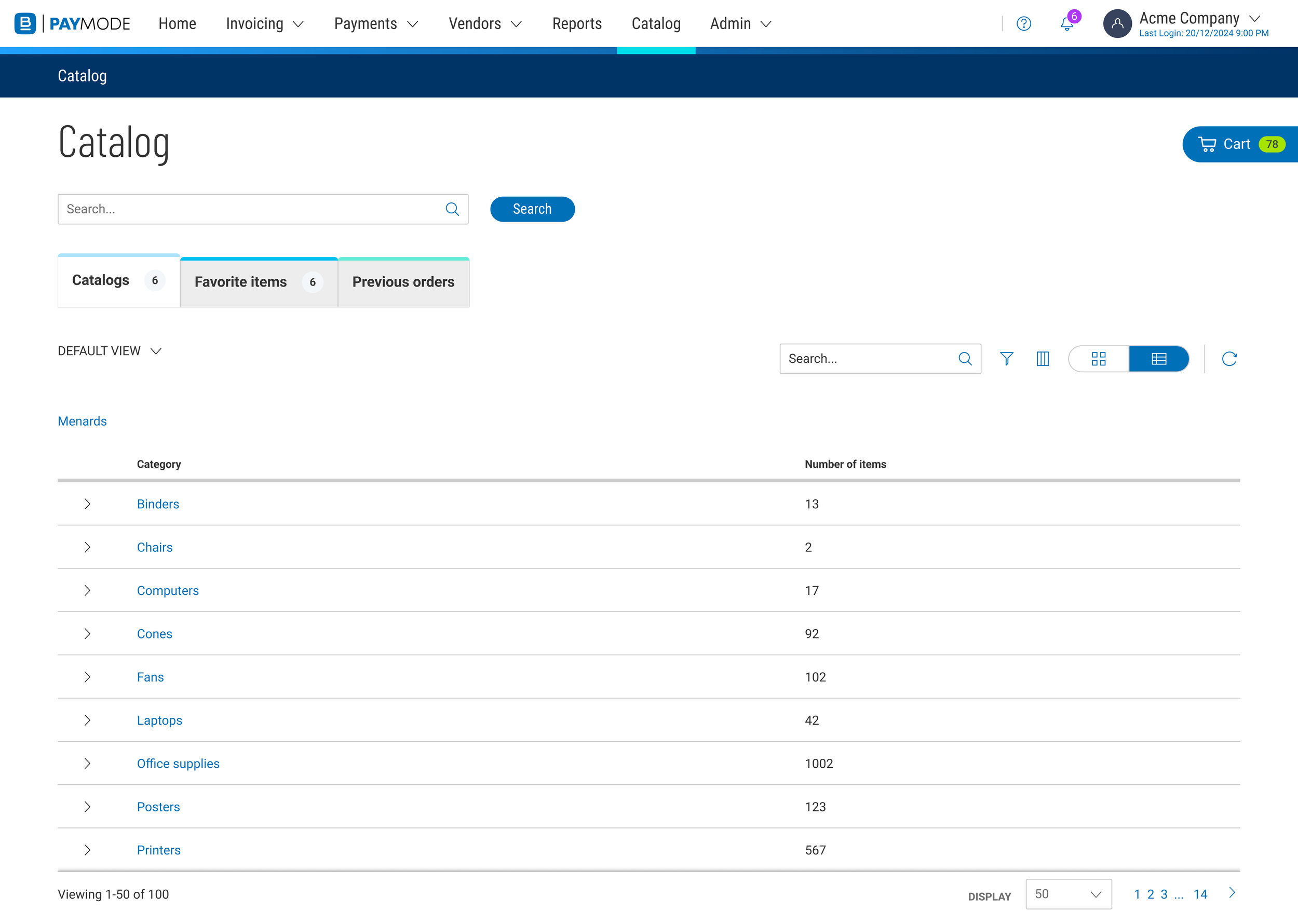
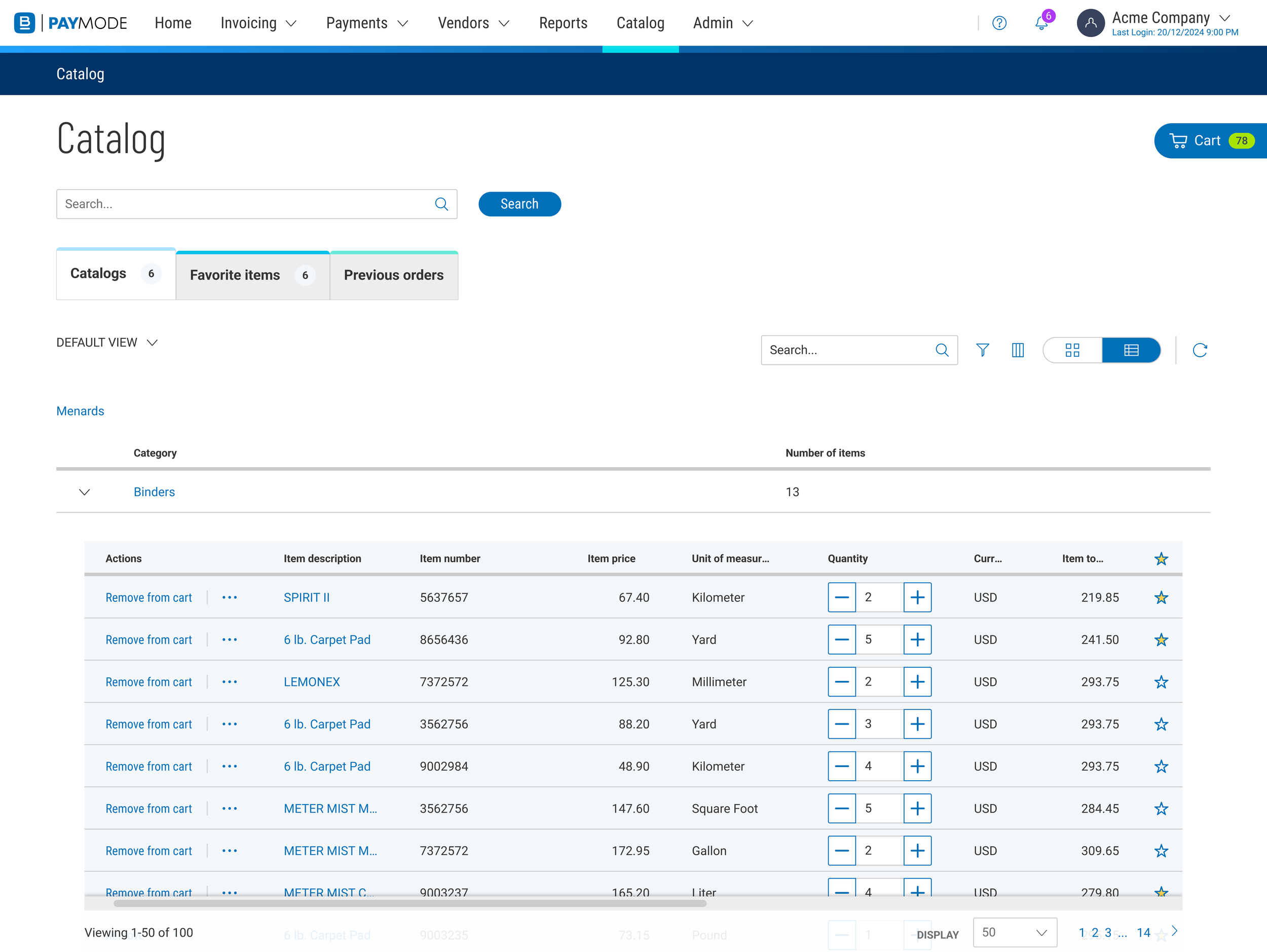
Some designers on the team thought that users might prefer to navigate the catalog with an accordion so that they never need to leave the page to go down a level. We tested this method and ultimately learned users to not prefer this method of navigating the catalog.
Problems with the old catalog
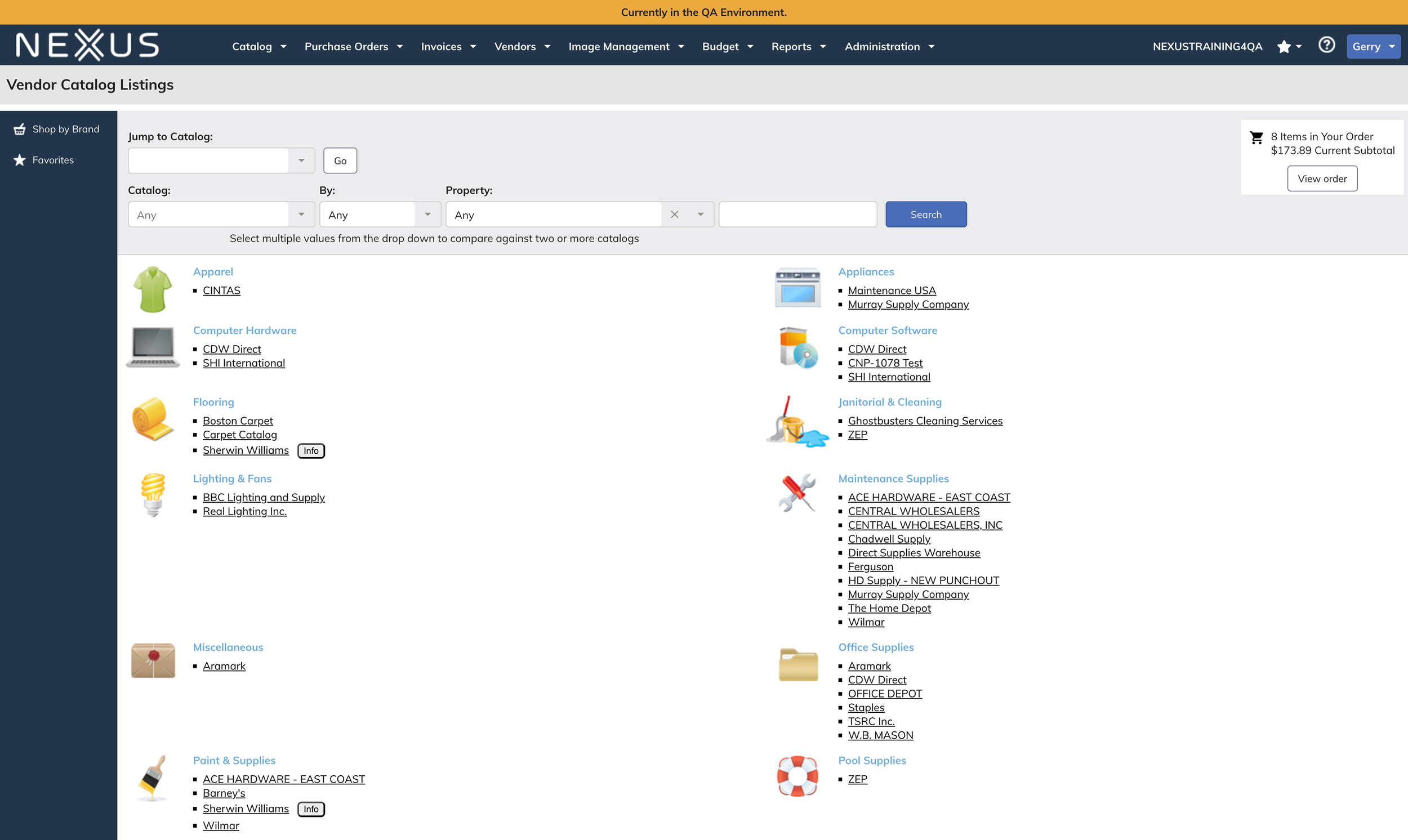
The current catalog experience was difficult to use, looked dated, and made it difficult for users to find and shop for items that they might want. There were no indicators if a product was in stock and there was a lot of internal jargon.
Opportunities for improvements
UX feature additions:
Global search
View previous orders
Add clarity about if a store was a .CSV catalog or an online catalog
Allow users to add “tags” to the catalogs so that it is clear what products are in which catalogs
Provide clear feedback for adding/removing a product from the cart
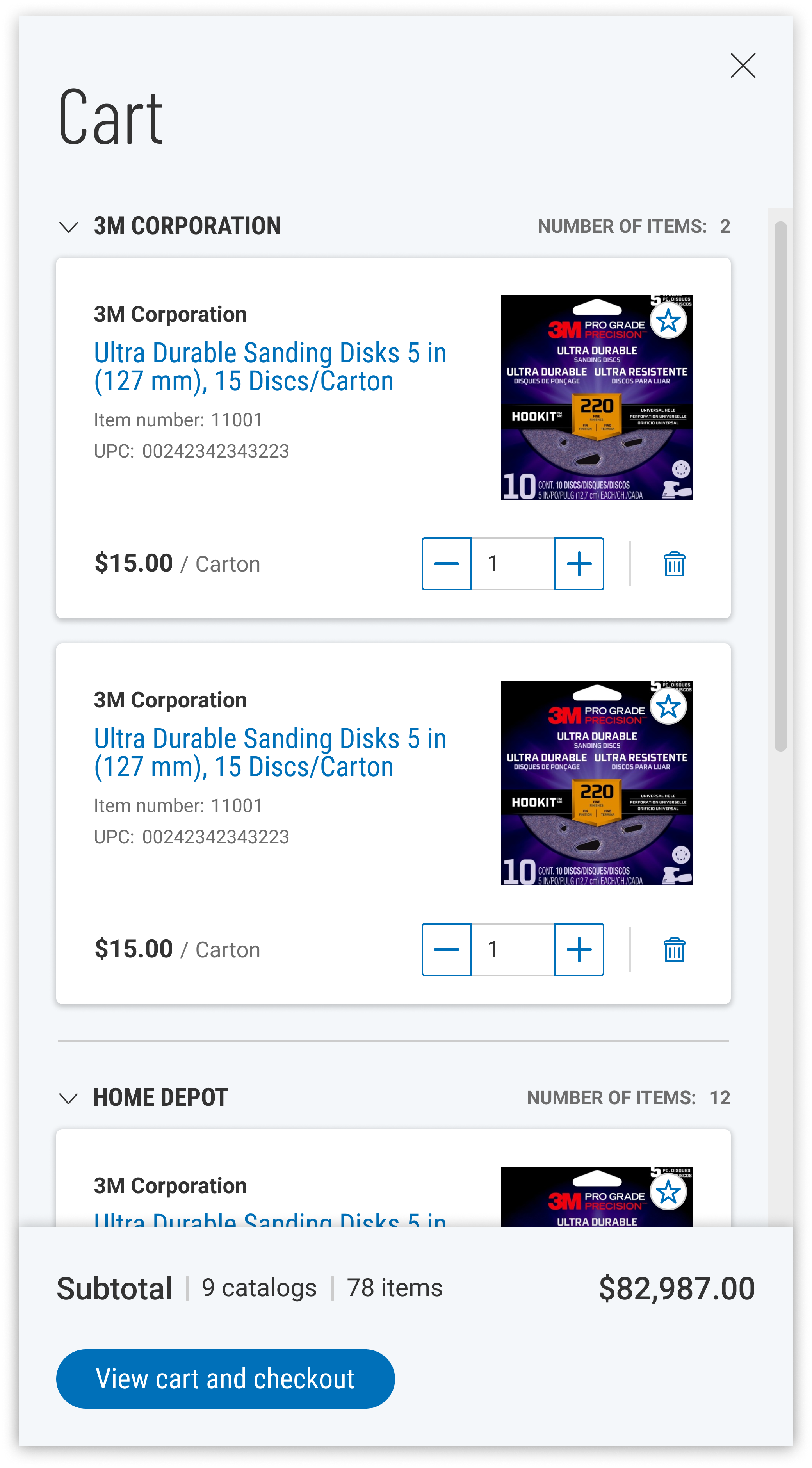
Allow users to see the cart on a dedicated page and on top of other pages
UX feature removals:
Remove “Promo code” features that no users reported using
Remove the “Brand” tab which no users reported using
UX improvements:
Update to our design system
Modernize the entire experience
Opportunities for improvements
UX feature additions:
Global search
View previous orders
Add clarity about if a store was a .CSV catalog or an online catalog
Allow users to add “tags” to the catalogs so that it is clear what products are in which catalogs
Provide clear feedback for adding/removing a product from the cart
Allow users to see the cart on a dedicated page and on top of other pages
UX feature removals:
Remove “Promo code” features that no users reported using
Remove the “Brand” tab which no users reported using
UX improvements:
Update to our design system
Modernize the entire experience
Final design
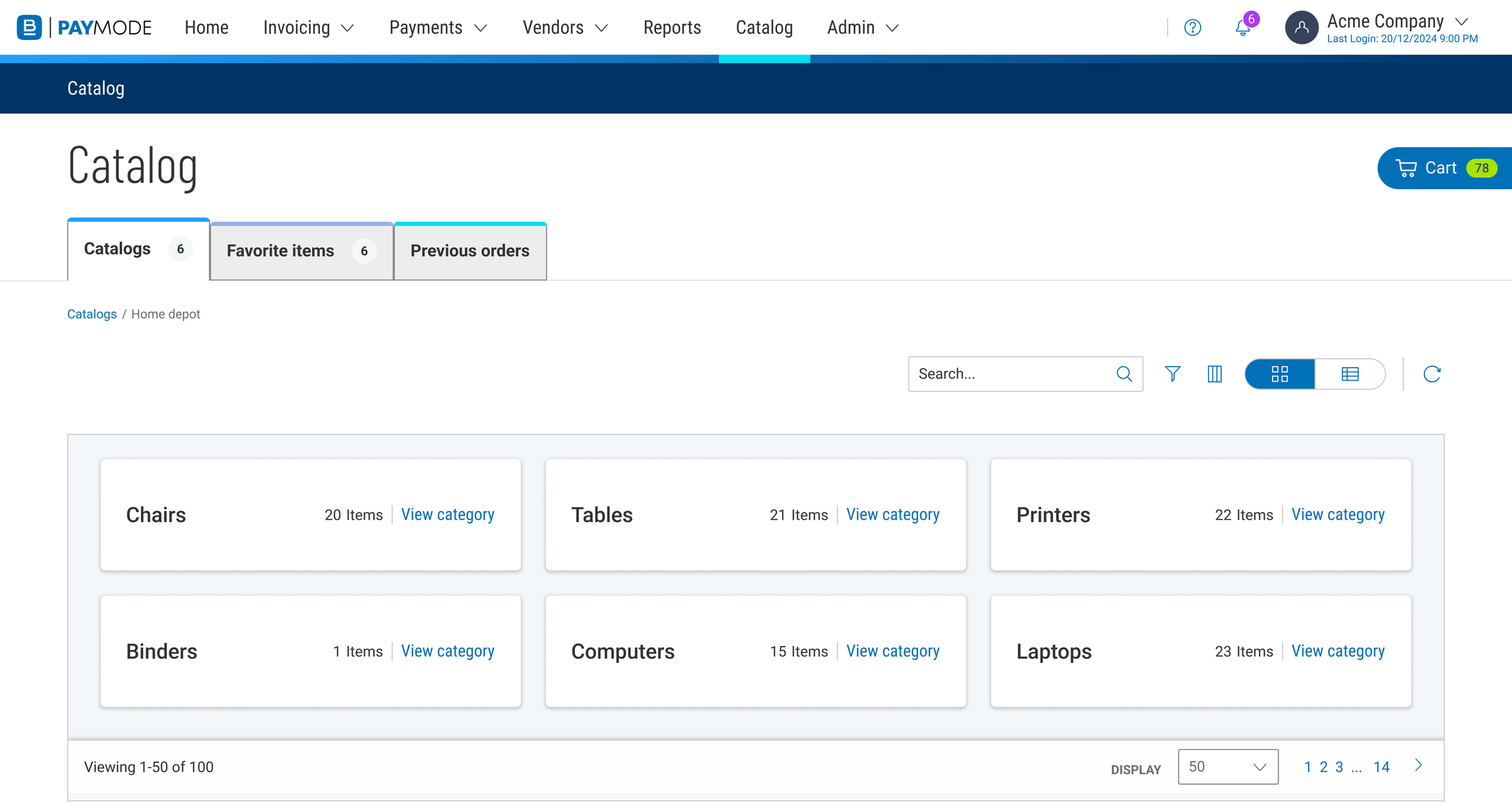
Catalog landing page
This is the first page that the user would see when ordering from their catalog.
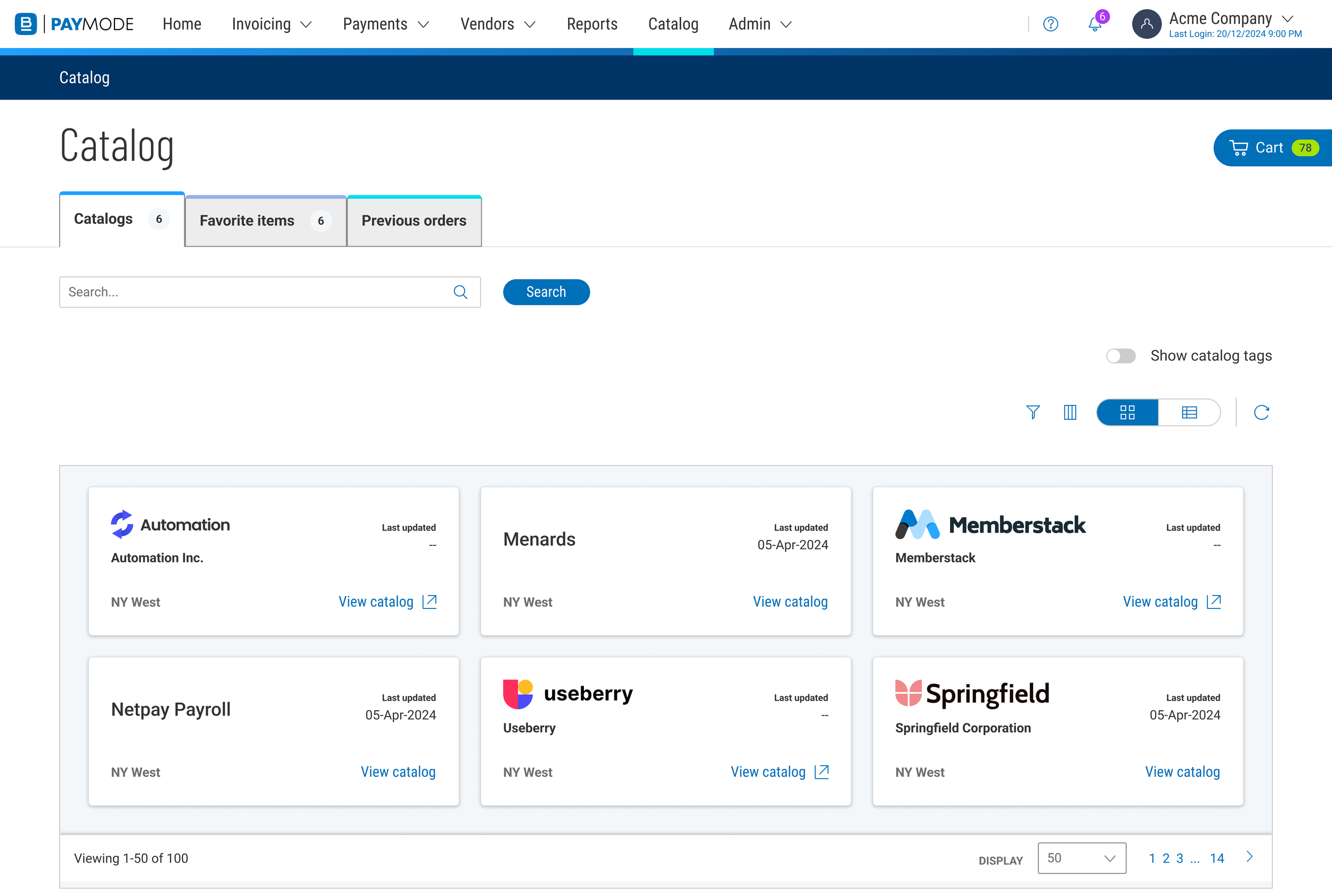
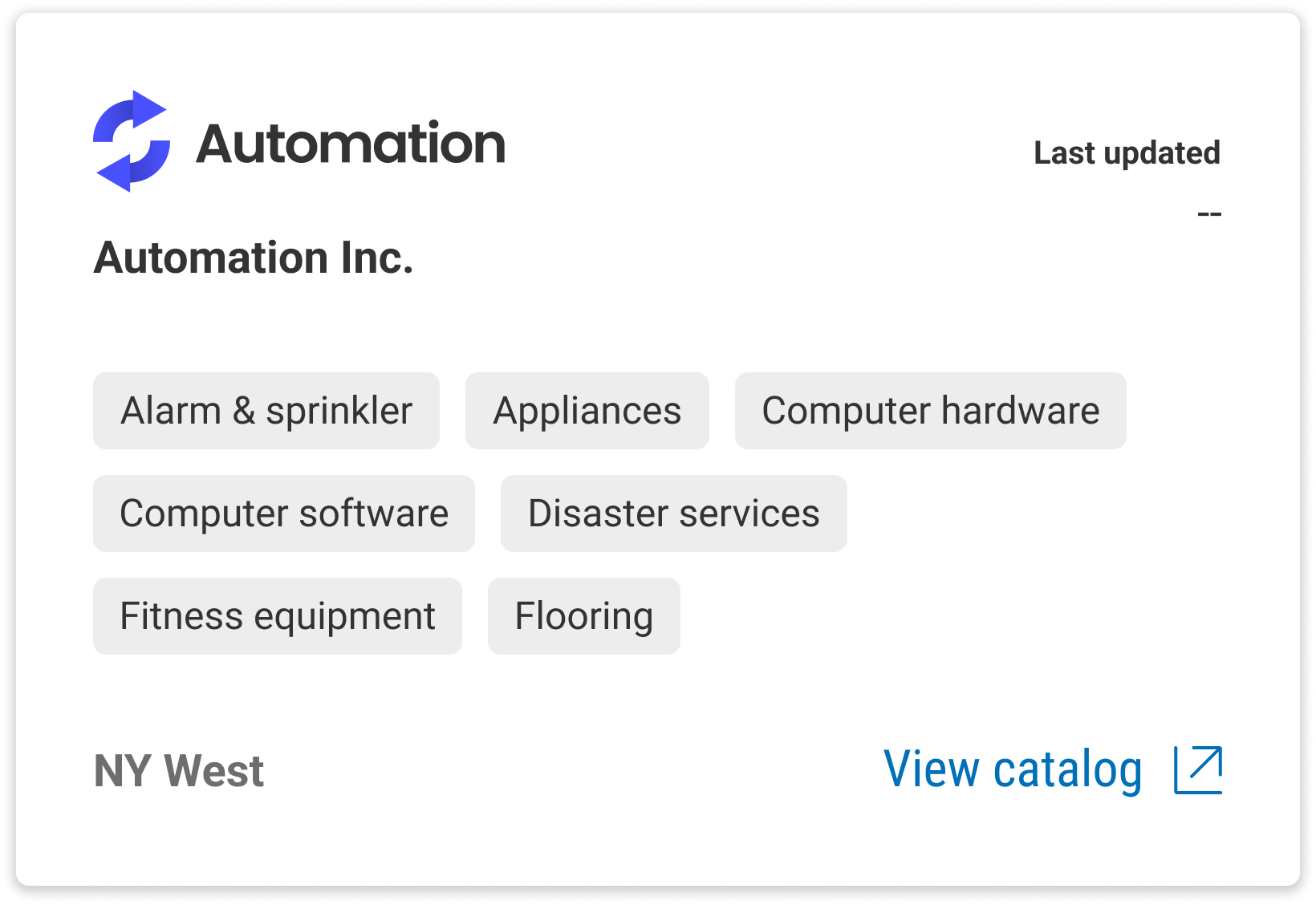
We aided navigation to the correct catalog by allowing users to add “tags” for what types of products could be found in each catalog.
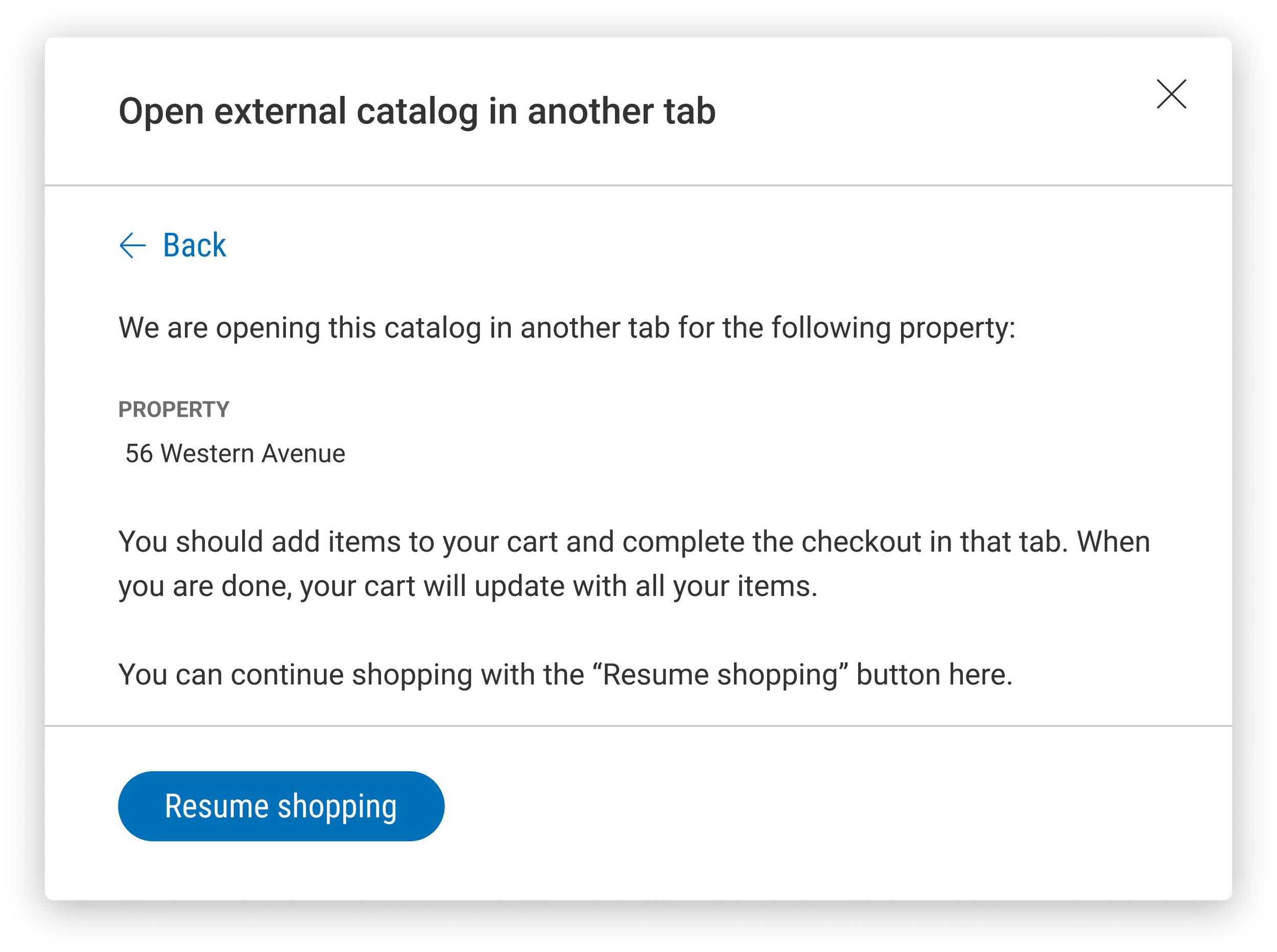
Certain catalogs would open in a new tab and be an online experience. We need to inform users that their shopping would be completed in a new tab and then only when they are done would they return to our site.
Categories and items
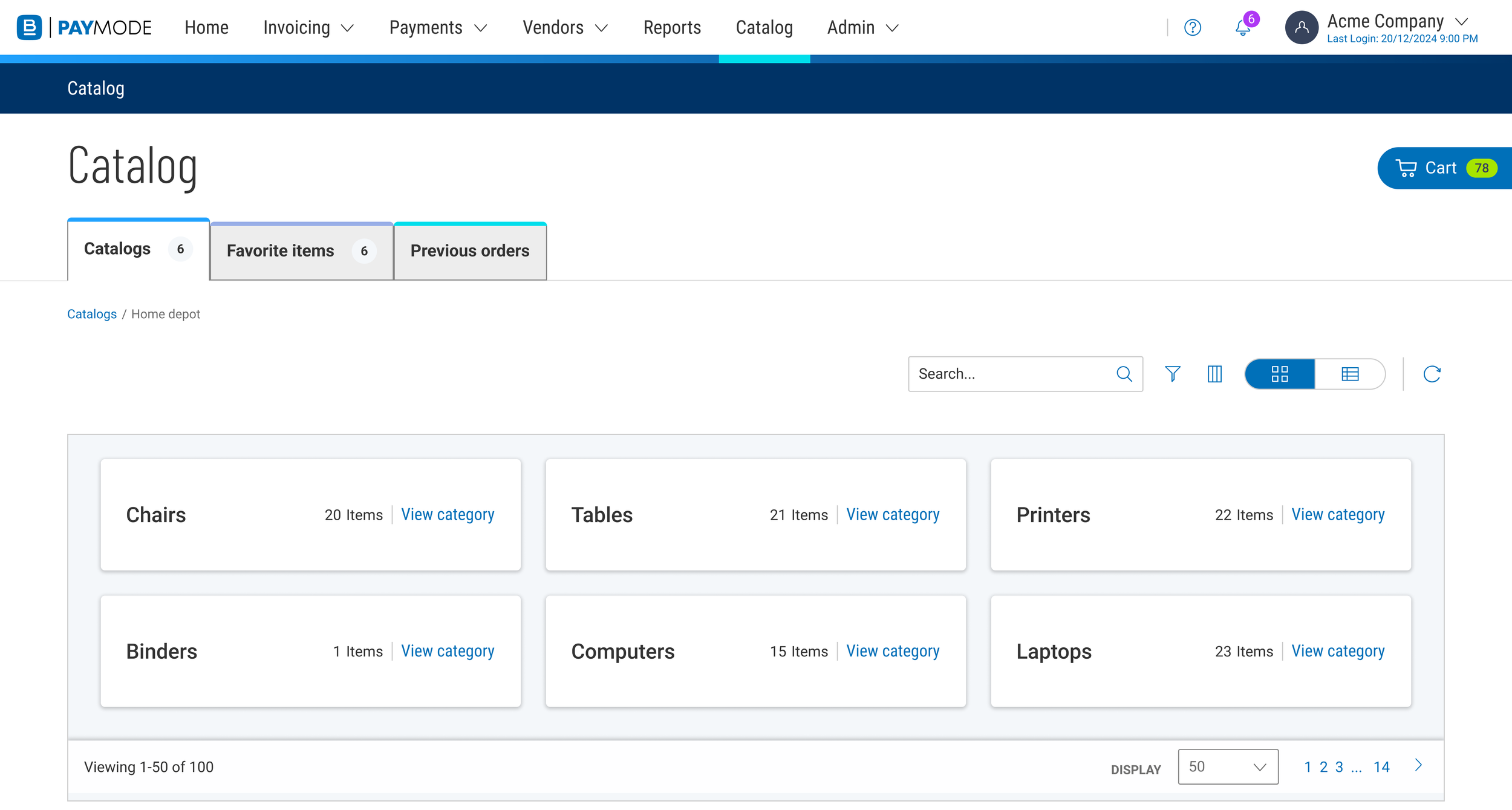
Once a user selected a catalog, they were navigated to see the available categories of items and could dive deeper to see the available items.
The user could define the categories that would appear in the catalog during setup.
There were breadcrumbs at the top so the user could navigate back out of the category and see the other catalogs. Our user testing revealed that this was a learned behavior, but we were confined by our design system.
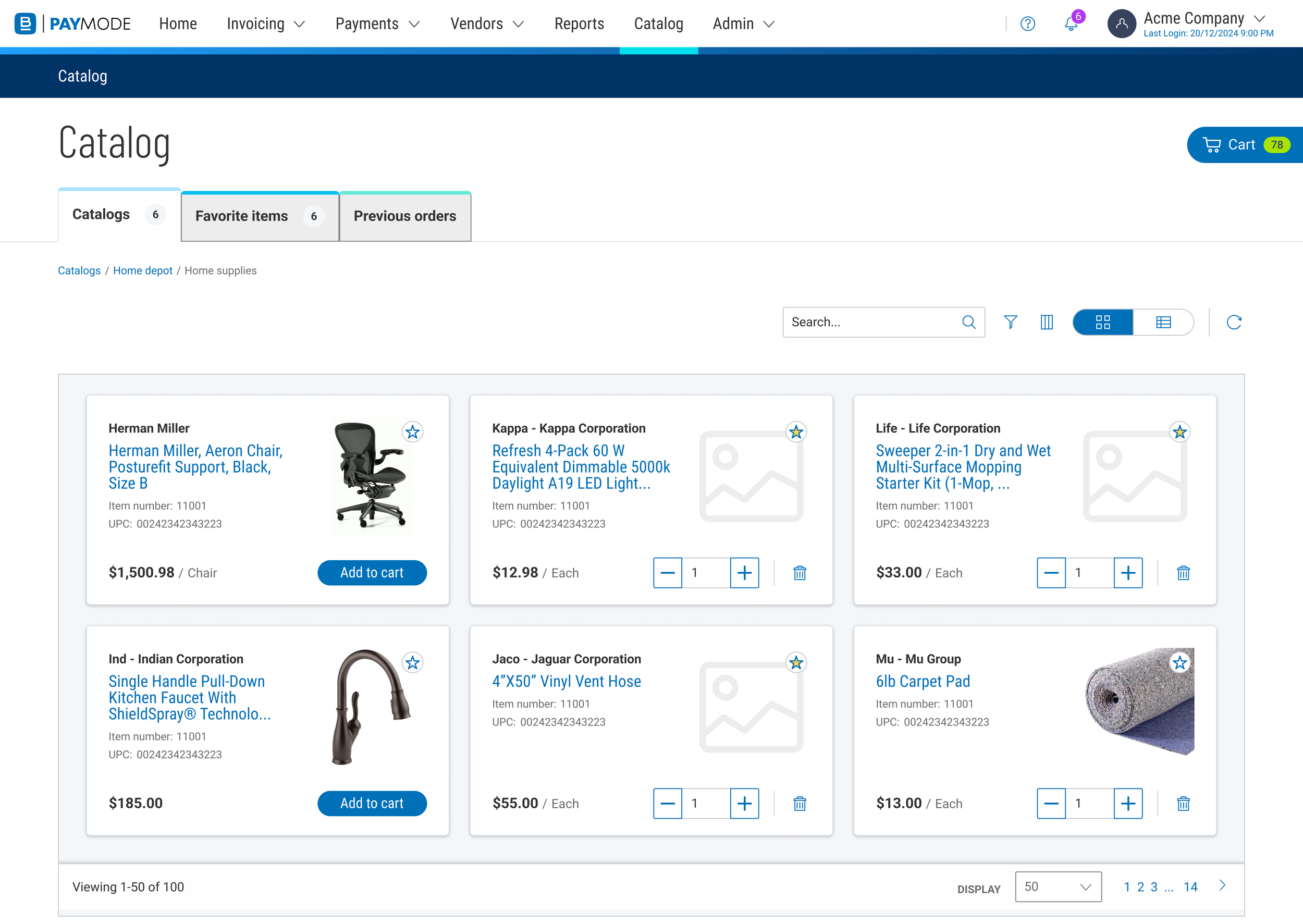
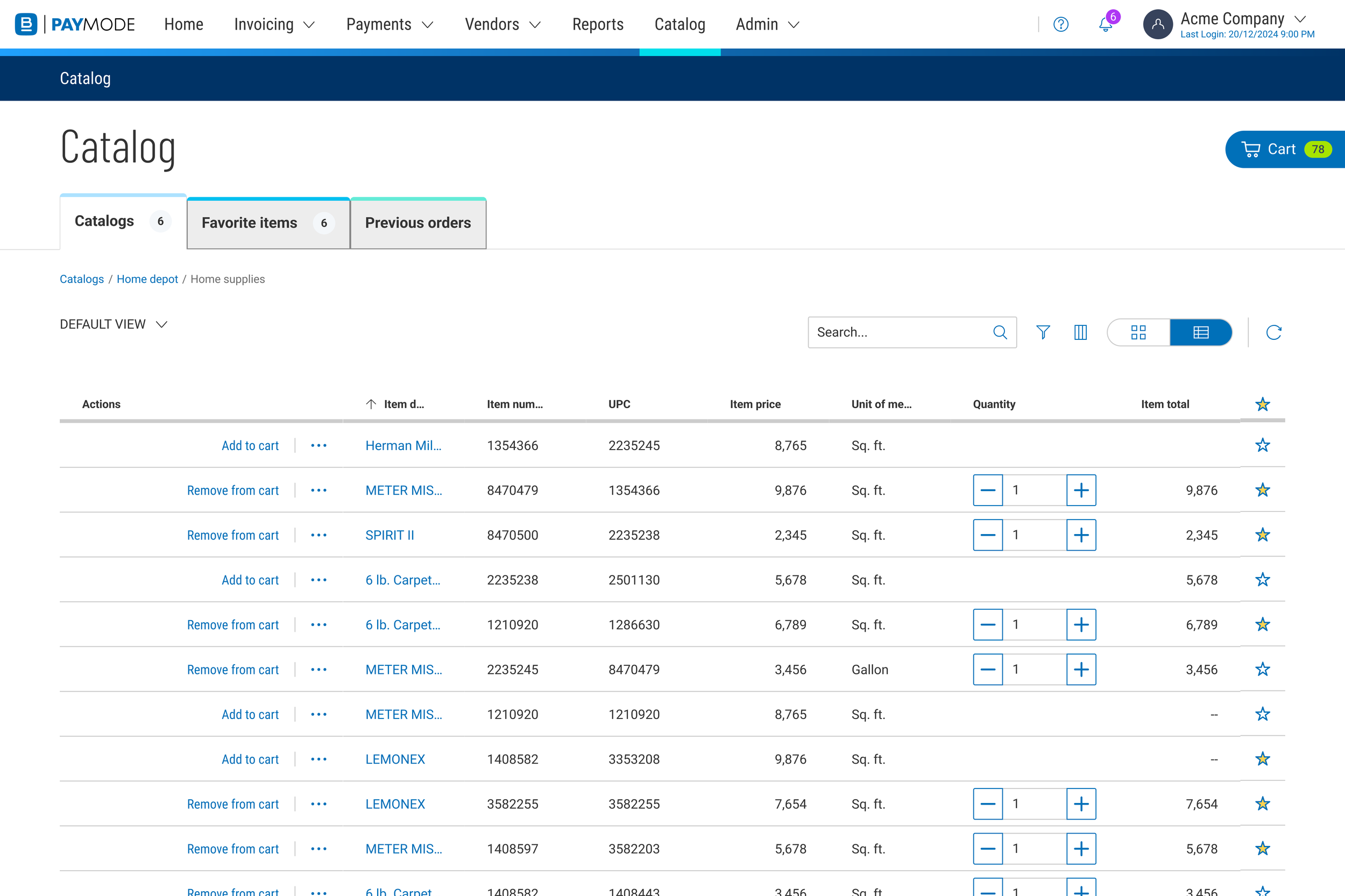
The user could add items to the cart, favorite items, or click on an item to see more information about it.
This is an example of the grid view. Users indicated that they liked the tile view more, but would hope that we could support both views.
Favorite items
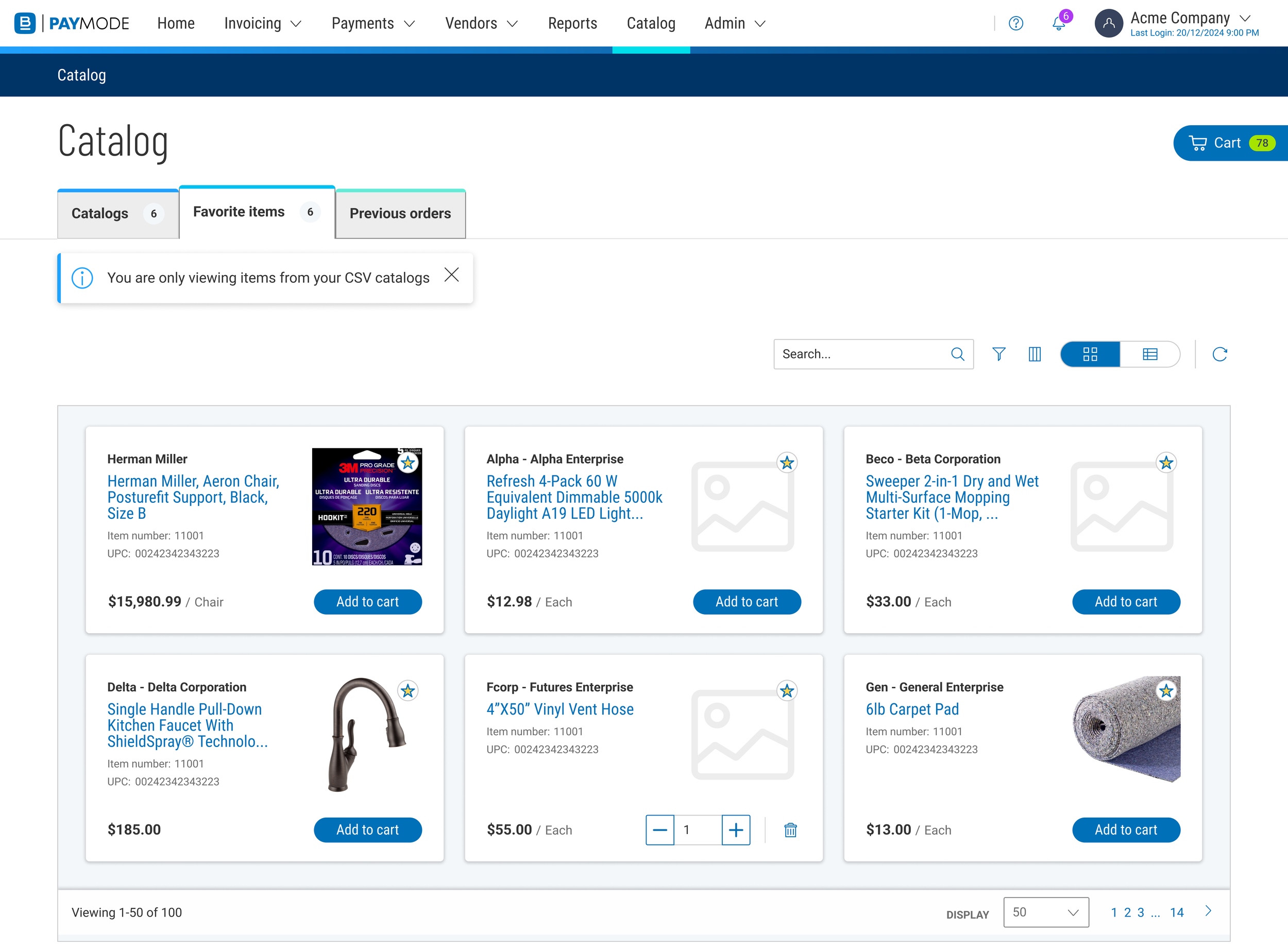
Users informed us that they often buy the same exact item from the same exact catalog and it would be nice to mark those as favorites so they can quickly reorder them.
The items that the user marked as favorites would appear in this tab. This system would allow users to quickly reorder items. If an item was added to cart on another tab, this tab would update. The goal was to create as consumer-like of a user experience as possible.
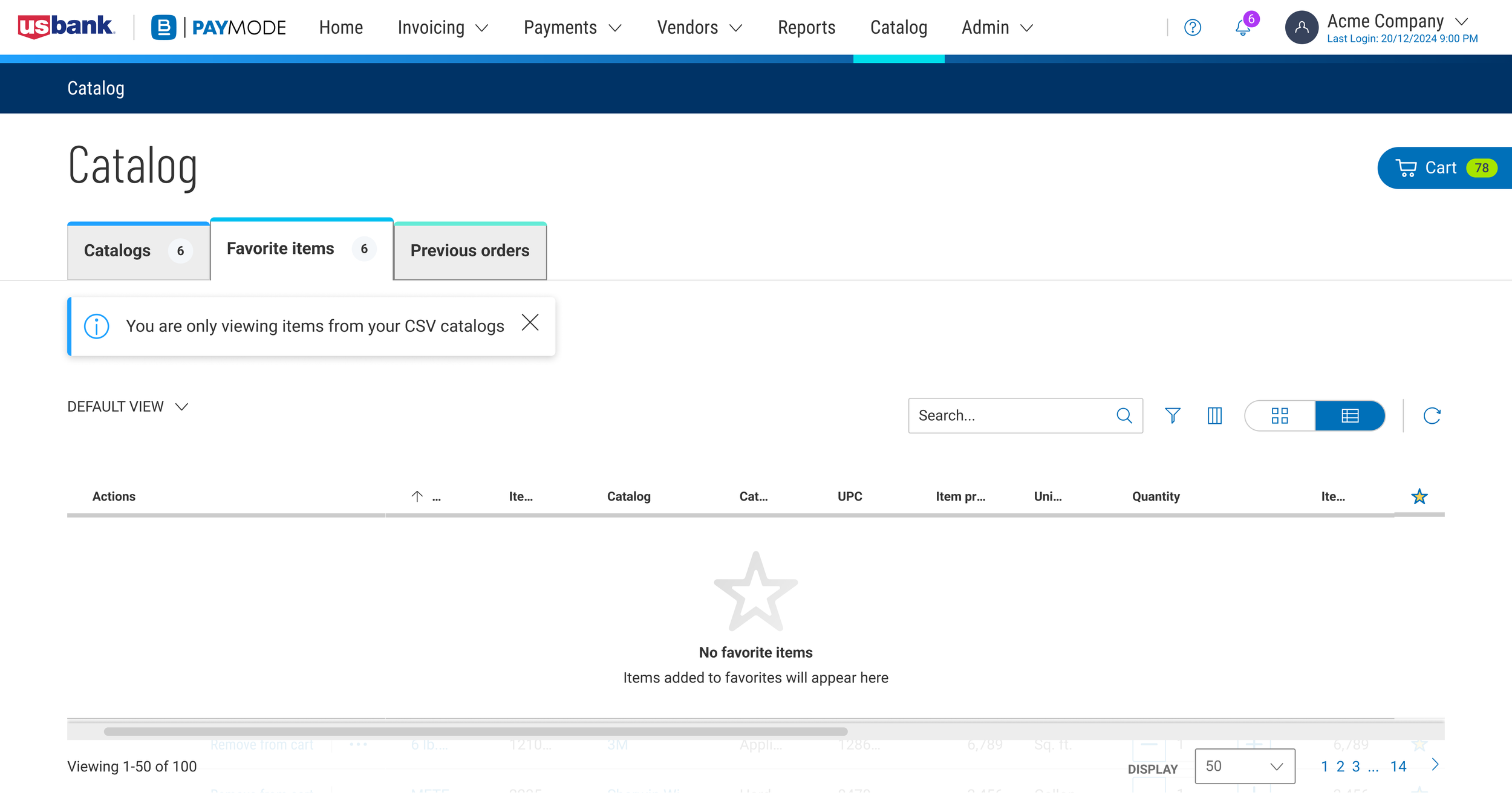
One challenge was that if a catalog was online, then due to technical constraints we could not add that item to favorites. We chose to use a dismissible alert message at the top of the favorites tab so that users would understand why only some items appear in favorites.
Our developers also wanted to see things like empty states, so that our user experience would be just how we intended.
Previous orders
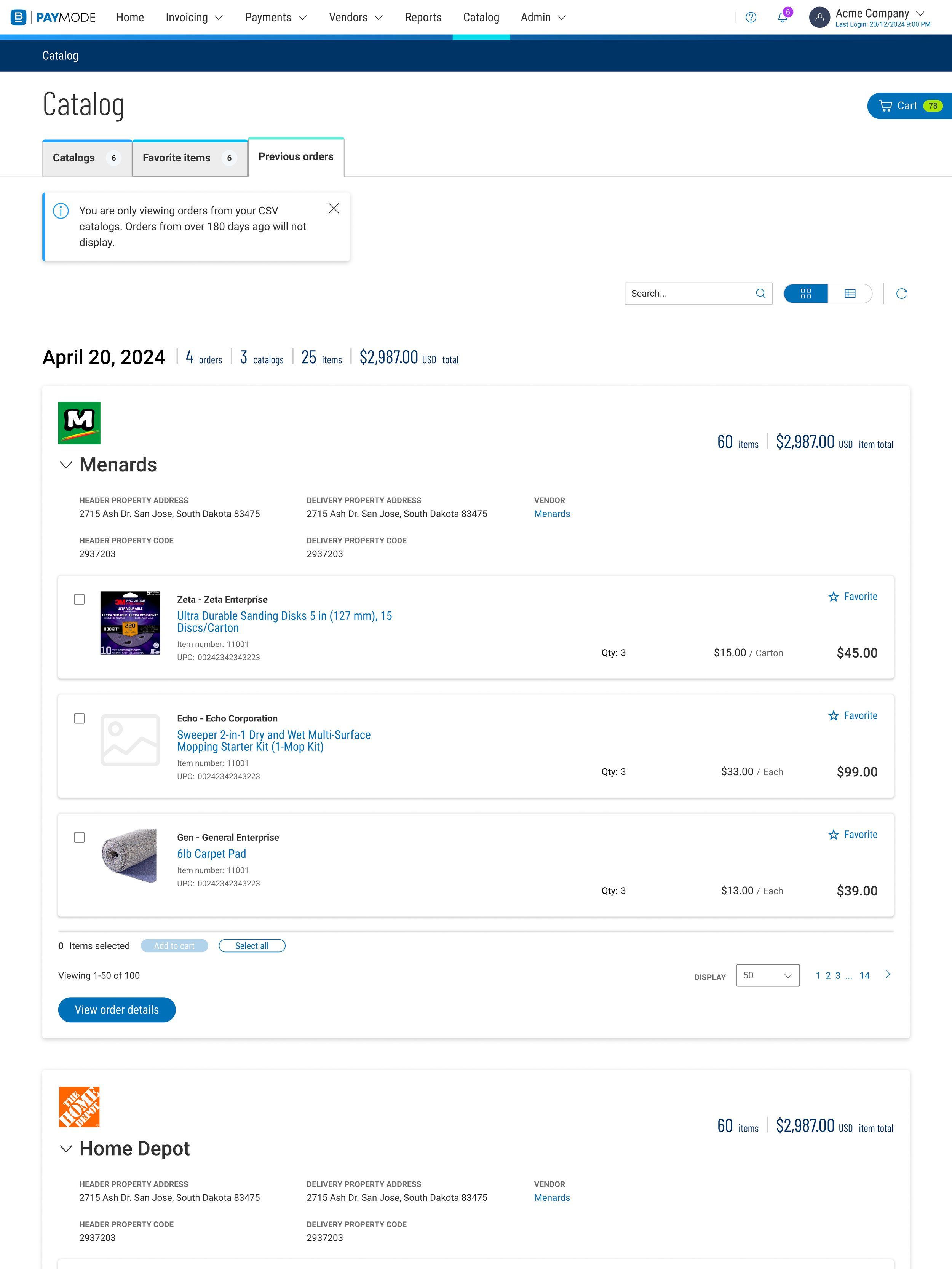
A big value-add for new and existing users was the ability to track and view their previous orders. This feature will allow users to manage their inventory, reorder individual items or entire orders, and to hold related documents in one convenient place.
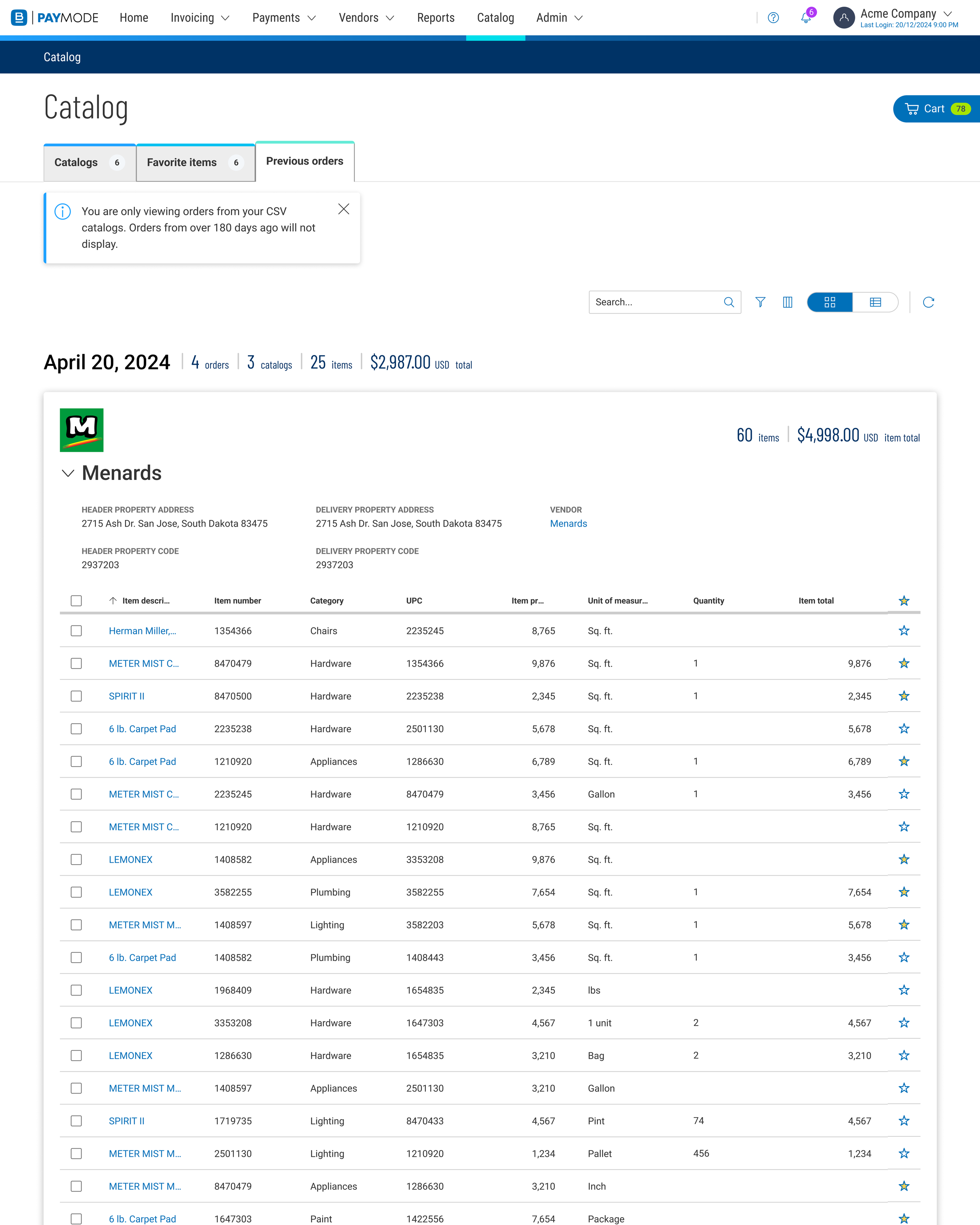
We created a tile and a grid view for these pages to allow users to navigate the site in whichever way they preferred.
Users could see which items were in each order and the most important pieces of information for the order. We learned and refined which pieces of information to include at the top of each order through our user testing.
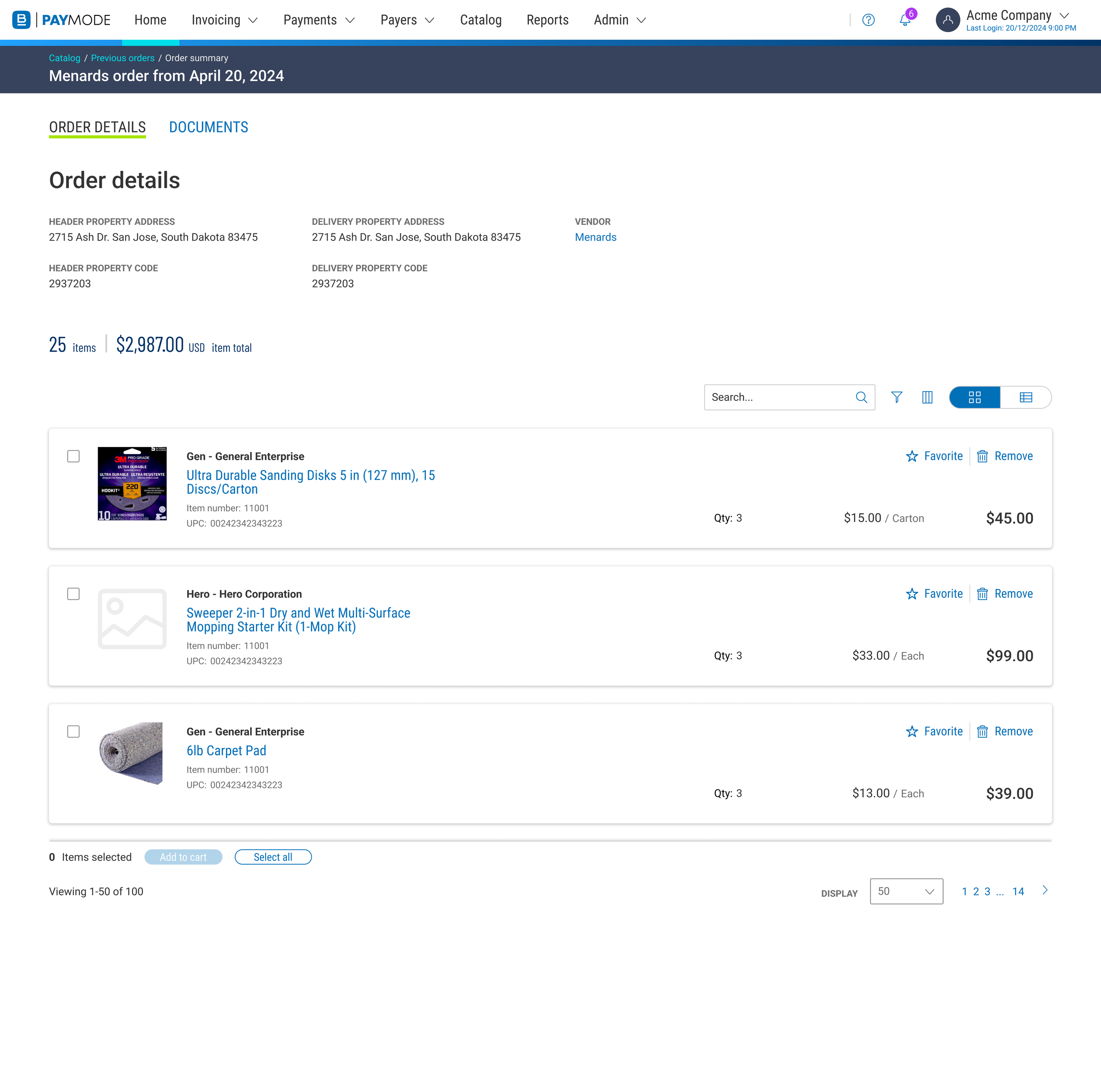
When the user clicks on “View order details” on the Previous Orders page, they see the important information about the order such as where the order was from, the delivery address, and the specific items that made up the order. Here, the user can add any of the items to their cart again.
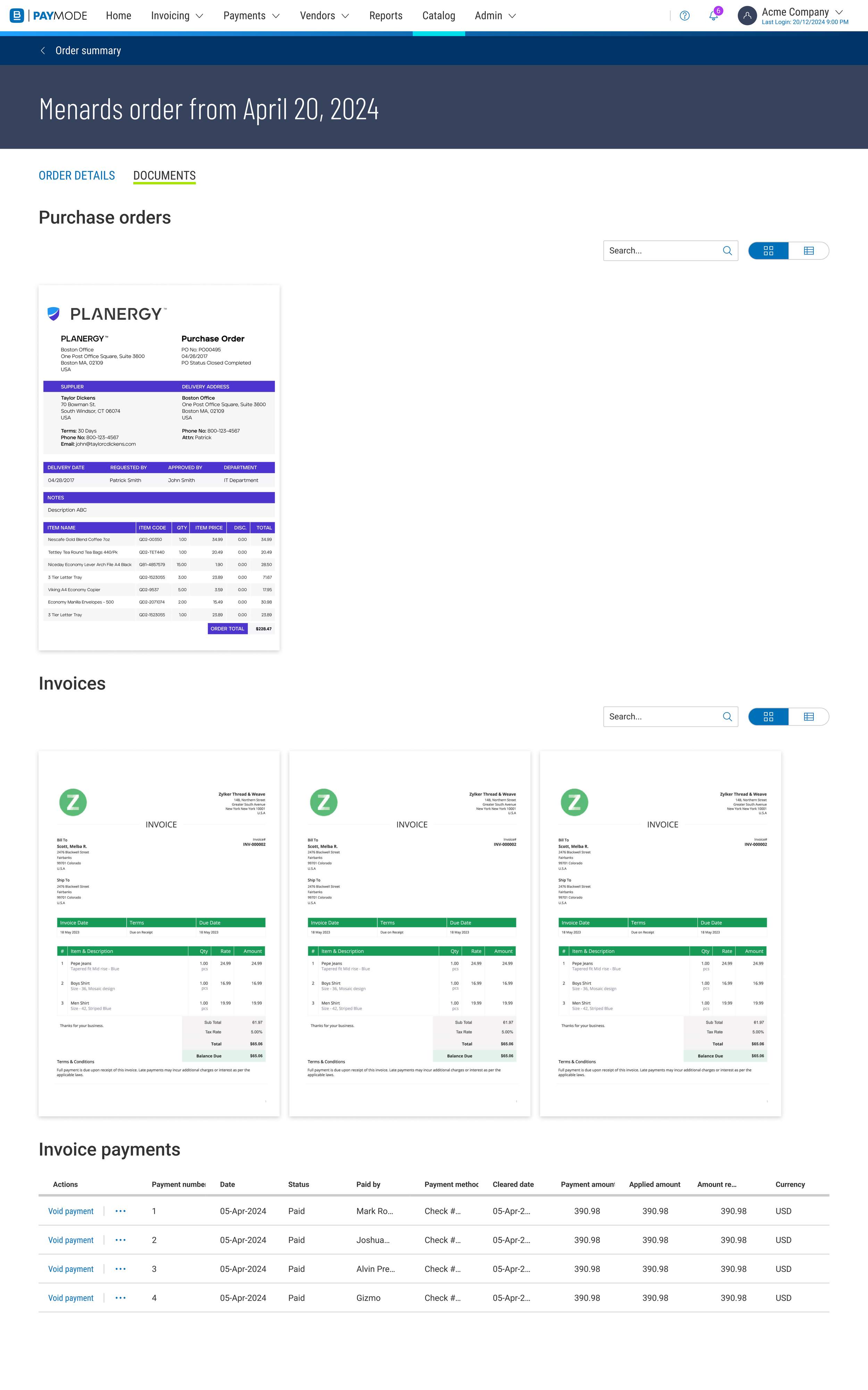
We also learned that users would want a way to see all their documents such as purchase orders, invoices, and payments all in one place and associated with the order.
During user testing we learned that this was a great value-add feature.
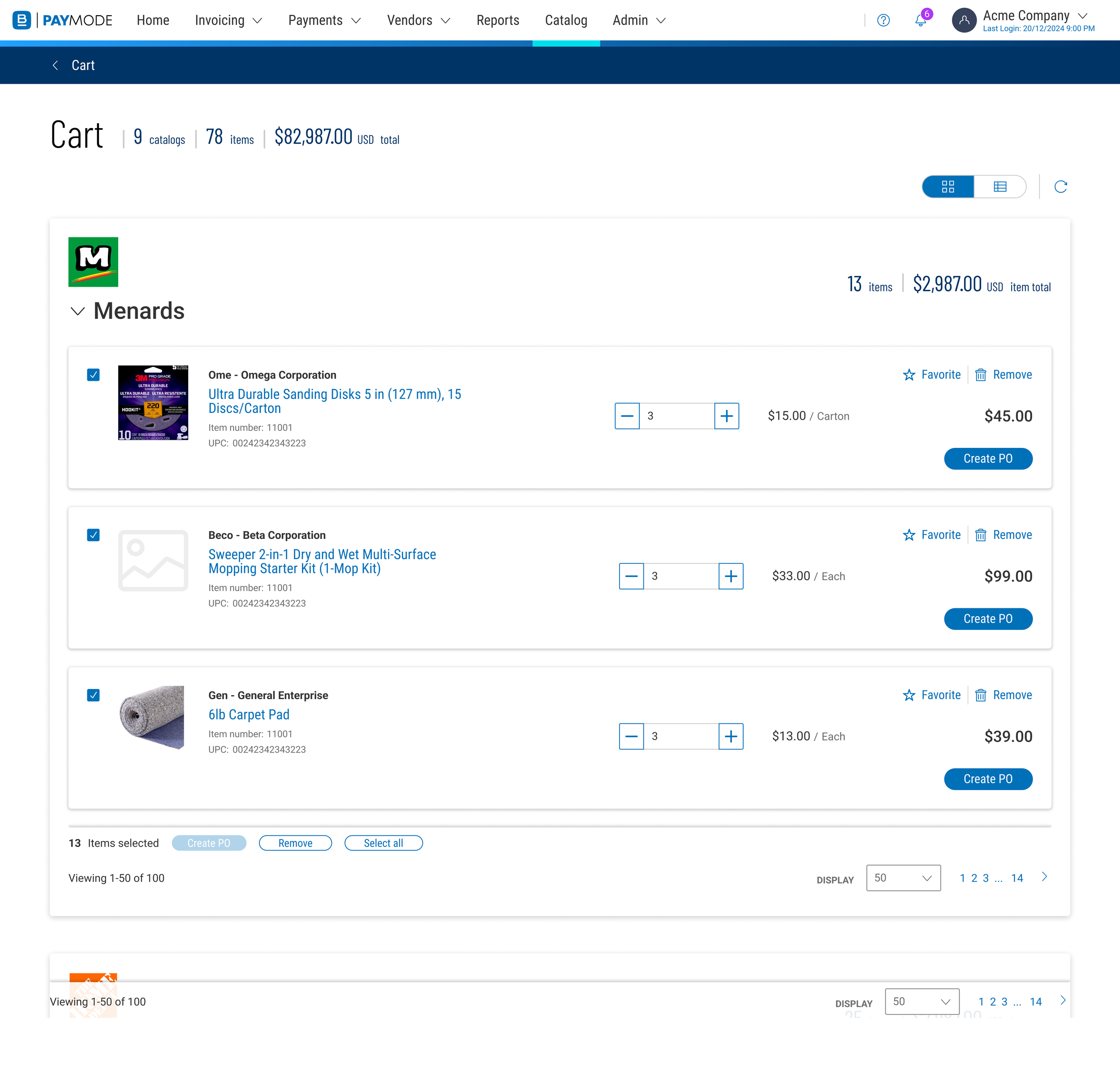
Cart
The cart is where items are shown before purchase and it serves as the launch point for a purchase.
Outcomes and lessons learned
I learned to anticipate many types of questions that developers and product owners would ask about the design. Things that seem obvious to me as a product designer, are not obvious to those that implement our designs.
Additionally, I learned to work within rigid technical constraints that made seemingly-easy and simple UI practices impossible. Looking for creative solutions to UX problems became the number one aspect of the design process.
Also, due to long timelines on projects, it is easy to forget why a certain decision was made, and it is always better to over-document than under-document.
Overall, users found this experience to be a huge improvement and appreciated the quality of life changes that we were able to add.